Connect a calendar, and only look
See your Google or Outlook calendar as a 24-hour clock. Connect it, never draw a block, and the dial becomes a visual view of the day you already have. Planning stays optional.

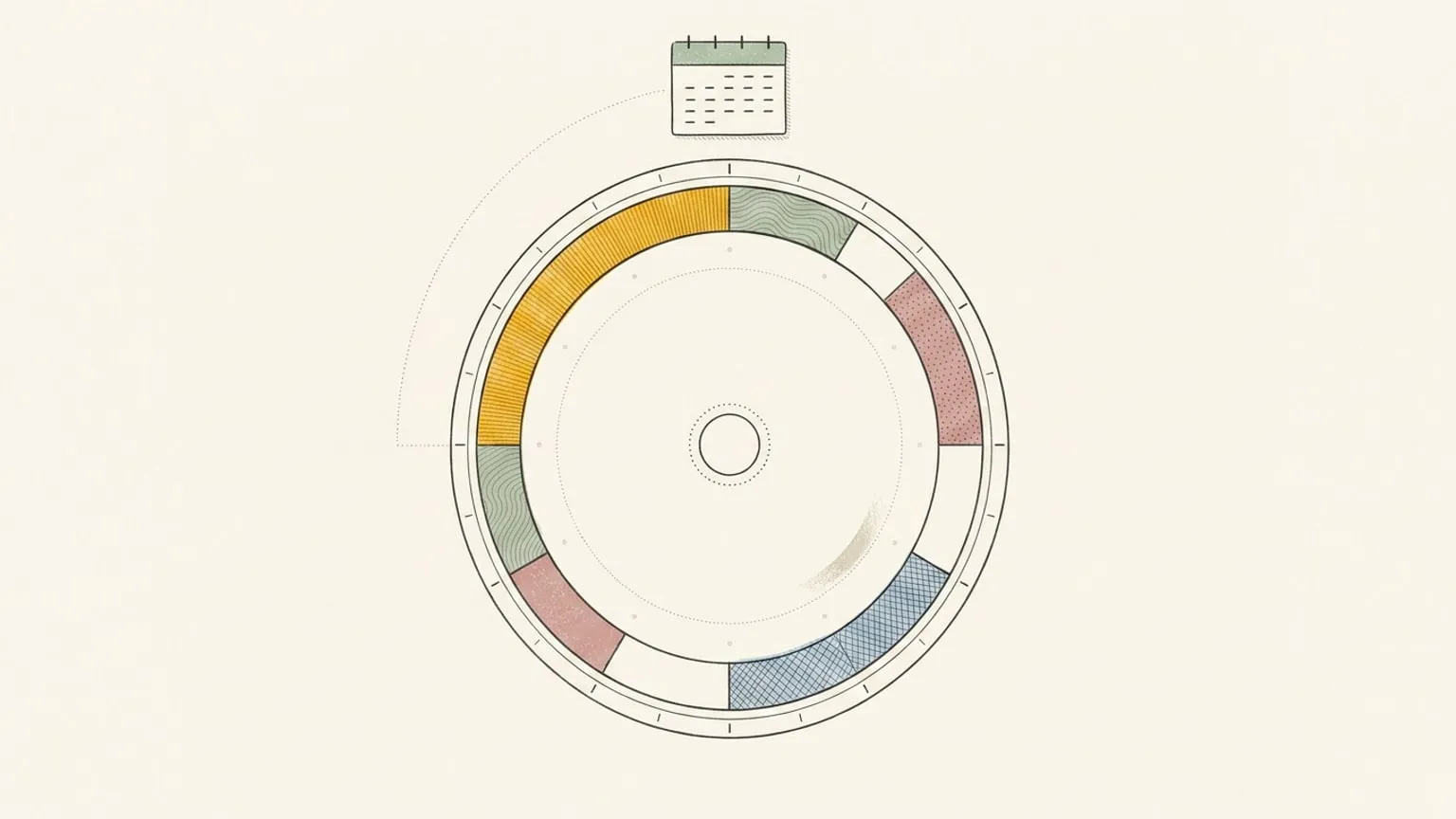
First, the bias: Reassign is mine, and it is a 24-hour circular day planner. Every other page on this site eventually asks you to draw a day. This one does not. Connect Google Calendar or Outlook, never place a single block, and Reassign becomes one thing: a 24-hour clock view of the day you already have.
Every sync feature we have shipped sells the write-back, the part where your edits flow to the calendar and back. This page is about the day before you edit anything. The day you just want to see.
Can I see my Google Calendar as a 24-hour clock?
Yes, and that is the entire feature here.
A calendar draws the day as a column you scroll. It is built to answer one question well: what is next. That is the right shape for meetings, because a meeting is an event at a time and you only ever need the next one on screen. It is the wrong shape for the other question, the one that eats people with time blindness: what does the whole day actually look like.
Connect a calendar to Reassign and every event lands on one ring. Midnight at the top, noon at the bottom, each event a wedge sized to its real length, a now indicator sweeping round it. Nothing scrolls, so nothing is off-screen. The two-hour gap before your first call is a visible arc. The evening is on the same face as the morning. This is why a day is round here: a closed ring has no fold for the late hours to hide behind.
Reassign’s AI sorts each event into an area of life as it arrives, so a synced day reads like a day you drew, not a wall of grey boxes. You told it nothing. You are just looking.
Will it change my calendar?
Only the day you decide to move something. Until then, looking is safe, and it stays safe even when you tidy the view.
Here is the exact rule, because “it syncs” is where people get nervous. A write-back to Google or Outlook fires only when you change the title, notes, time, or date of a block you own. That is it. Recolour a block, sort it into a different area of life, change its activity type, mark it non-blocking so it can overlap: none of that touches the source. So you can recolour and re-sort your whole calendar on the dial, make it legible for the first time, and the calendar never notices.
“Only look” is literally true, and it holds even after you have coloured the entire day. It ends the moment you drag a block to a new time, rename it, or reschedule it, and at that point moving it is the thing you meant to do.
The rest of the guardrails:
- A calendar you do not own arrives read-only, so you cannot rewrite a shared or colleague’s calendar by accident.
- Events you have declined are never synced.
- All-day events sit as an always-visible card, never a block that eats your hours.
- Disconnect, and your calendars clear from the dial. Nothing changes at the source.
This is where the Google Calendar sync post draws its line: a read-only mirror is a screenshot, accurate the instant it loads and stale the moment you touch the day. The view here is not that screenshot. The connection stays live in both directions, which is what lets you keep looking safely and reach for the write path only when you want it.
Do I have to plan in it?
No. Planning is optional, and it stays optional.
You do not have to adopt a new system, migrate anything, or draw tomorrow the night before. You can connect a calendar and treat Reassign as a calendar visualizer and nothing more. The gaps show up on their own. The day stops being a list you scroll and starts being a shape you can point at. For a lot of people that alone is the fix, because the problem was never that they lacked a planner. It was that they could not see the day.
The planning path is there the day you reach for it. Drag an empty stretch and it is a block. Press S to shift the rest of the day in one move when a call runs over. On Pro, ask AI in plain words to push everything after lunch back an hour, and preview the plan on the dial before it applies. None of that is required to get value from the view. It is waiting, not demanding.
What you get just by looking
The view is not a flat picture. These come with it, no drawing required:
- A live now indicator, with the hours you have already spent fading behind it, so “how much day is left” is a glance rather than a subtraction.
- The weather layer (included in Pro) drawn around the ring, so the afternoon you were going to spend outside is on the same face as the rain.
- Per calendar controls. Show or hide each one, give each its own colour, and for area and type either set one fixed value for every event or let the AI choose, with rules in your own words for which events map where. This is how a synced day comes out looking like a day you drew.
- The dial on every new tab. The free Chrome extension frames today’s dial in every new tab. It shows your plan when signed in with trial or paid access; signed out, it asks you to sign in. Installation is free, and it never records your browsing.
- The installable app. Reassign is a web app you can install, with internet required to save changes.
On Pro, the same day also opens in a List and a Timeline mode beside the dial. Both are read-only by design; neither one drags, because they are for reading the day a different way, not editing it. And because Reassign is an MCP server, you can grant Claude or ChatGPT a read-only scope so it reads your schedule without ever moving a block. The only-look stance, handed to an assistant.
It is not a free read-only tab
The honest part, said plainly. There is no free read-only tier and no read-only connection switch. One Google or Microsoft permission covers both reading and writing, so connecting a calendar means Reassign can write back, even if you never make it. The safety is behavioural, the rule above, not a locked door.
Calendar sync lives on Pro: $14 a month or $120 a year, with a 7-day trial and no card to start. All planner features are included. After the trial, a subscription is required; data stays. Installation of the Chrome extension is free, but opening your plan and saving pages require trial or paid access. See pricing for billing and transition terms.
So if all you want is to look, you are still on Pro to do it, and the honest version of this page says so rather than implying a free viewer that does not exist.
Sectograph, and where this is different
One app already owns this exact use. Sectograph puts your calendar events on a 12- or 24-hour clock face. Checked on 21 August 2026, sectograph.com lists Android, iOS and Huawei AppGallery apps and a phone widget, with no web version mentioned. Its price and its editing model are not stated on the page, so read those on the app stores rather than take my word for them.
The split is clean. Sectograph has native apps and a home-screen widget, which Reassign does not. The iPhone companion app is Building now, and widgets are Soon. Reassign is the web, desktop and new-tab surface, it colours events by area of life rather than by calendar alone, and it has the planning path waiting for the day you want to draw the rest of the day instead of only reading it. The Sectograph alternative page compares the two in full. If you only want a bar that shows how much of the day has passed, the Pretty Progress comparison explains when a widget is the better fit.
And with Outlook
The same, both directions. Reassign syncs two-way with Outlook, Outlook.com and Microsoft 365, and the only-look rule is identical: it writes back only when you change a block’s title, notes, time or date. The Outlook feature page prints the same rails. If the honest question for you is whether you need a planner beside the calendar at all, Reassign vs Google Calendar and Reassign vs Outlook Calendar take that up directly.
How to try it in one evening
Do not read another comparison. Do this.
Connect your calendar on a Pro trial, and then do nothing. Do not plan. Just open the dial tomorrow morning and look at the day as a ring instead of a column. Let the gaps show themselves.
If seeing the whole day at once is the thing you were missing, you already have your answer, and the planning was never the point. If it does not change anything for you, disconnect, and your calendar is exactly where you left it.
Frequently asked
- Can I see my Google Calendar as a 24-hour clock?
- Yes. Connect a Google account to Reassign and every event lands on one 24-hour dial as a block, sized to its real length, with a now indicator sweeping round. A calendar column shows you what is next; the ring shows you the shape of the whole day at once. You do not have to draw anything or plan anything for this to work. Calendar sync is a Pro feature ($14 a month or $120 a year, with a 7-day trial and no card), and it works the same way with Outlook Calendar.
- Will Reassign change my calendar?
- Only when you move something. A write-back to Google or Outlook fires only when you change the title, notes, time or date of a block you own. Recolour a block, sort it into an area of life, change its activity type, or mark it non-blocking, and none of that writes back. So you can recolour and re-sort your entire day on the dial and the source calendar never notices. Calendars you do not own arrive read-only, declined events are never synced, and disconnecting clears the dial and changes nothing at the source.
- Do I have to plan in Reassign to use it?
- No. That is the point of this page. You can connect a calendar, never draw a block, and use Reassign purely as a 24-hour view of the day you already have. The gaps between your meetings become visible on their own, which is the whole job when the problem is time blindness rather than scheduling. Planning is there the day you want it: drag a block, press S to shift the rest of the day, or ask AI for a compound move on Pro. Until then, only look.
- Is there a free read-only calendar view?
- No. There is no free read-only tier and no read-only connection switch. One Google or Microsoft permission covers both reading and writing, and calendar sync lives on Pro: $14 a month or $120 a year, with a 7-day trial and no card to start. All planner features are included in Pro. A subscription is required after the trial; your data stays.
- What is Sectograph, and how is this different?
- Sectograph is the app that owns this exact use: your calendar events on a 12- or 24-hour clock face. Checked on 21 August 2026, sectograph.com lists Android, iOS and Huawei AppGallery apps and a phone widget, with no web version mentioned; its price and editing model are not stated on the page, so read those on the app stores. The honest split: Sectograph has native apps and a home-screen widget, which Reassign does not (those are Soon). Reassign is the web, desktop and new-tab surface, it colours events by area of life, and the planning path is there the day you want to draw the rest of the day rather than only read it.
- Can Claude or ChatGPT read my day without writing to it?
- Yes, on Pro. Reassign is an MCP server, and you can grant Claude or ChatGPT a read-only scope so it can read your schedule, energy curve and reflection without ever moving a block. That is the same only-look stance as the calendar view, extended to an assistant: it can tell you what the day looks like without being able to change it. Grant the write scopes later if you want it to rebuild an afternoon for you.
