Looking for a Routinery alternative
An honest Routinery alternative, from someone who built one. Where the guided routine timer wins, where a 24-hour dial wins, and how to tell which is yours.

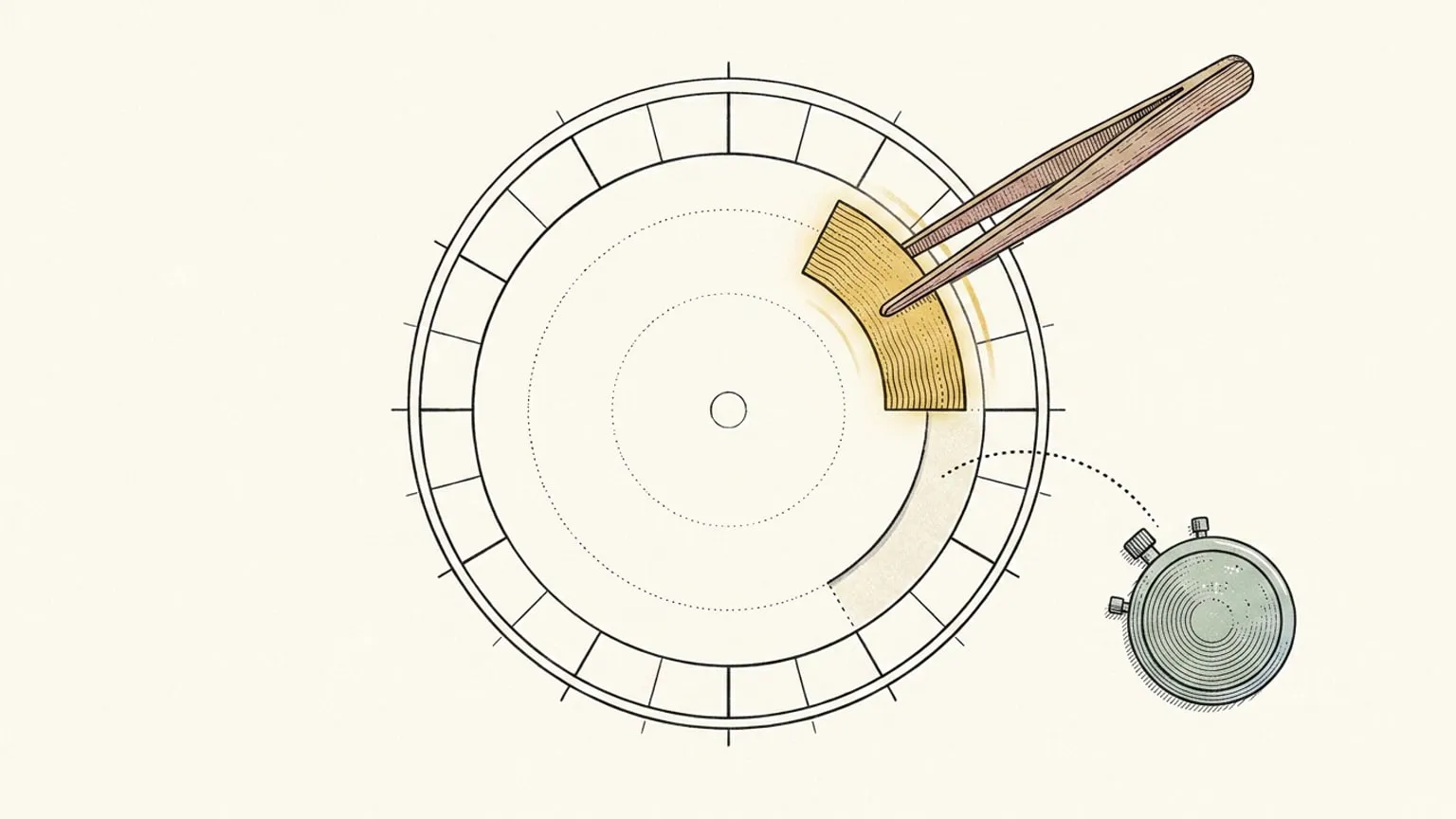
First, the bias. Reassign is mine. I built it because my own day kept vanishing into a list, and every sentence below carries that bias. Everything I say about Routinery comes from routinery.app, its update notes, its blog, its MCP page and its App Store and Google Play listings, checked on 19 August 2026. Where this page and their listing disagree, the listing wins, and where I could not confirm something on a Routinery-owned page I say so rather than guess.
Second, the thing a comparison page rarely admits: Routinery is very good at the one job it picked. It is a routine runner. You build a routine as an ordered chain of steps, each step carries a timer, you press play, and the app reads each step out loud and moves you to the next one. Their What is Routinery post puts it plainly: “You build a flow of small tasks. The timer walks you through each step.” If that is the thing you want, there is no clever reason to leave. The useful question is narrower, and it is about where the failure actually happens.
The only question that matters
Does your morning fall apart inside the routine, or does the day fall apart around it?
If the routine itself is the problem, if you start the shower and surface forty minutes later with no idea what step you were on, a guided chain with a voice and a timer is the right tool. Routinery is that tool, and this page will not talk you out of it.
If the routine runs fine and the day still collapses, the problem is different. The routine finished at 8:40 instead of 8:10, the commute that used to fit no longer fits, the first meeting is already a scramble, and the evening you meant to protect has quietly become a victim of a morning that ran long. No number of steps fixes that, because the routine never knew it lived inside a day. That is the half time blindness usually hides, and it needs the day to be one object you can see.
Routinery answers “how do I get through this routine”. Reassign answers “where in my day does this routine sit, and what happens to the rest of the day when it runs long”. Different questions. Pick the one that is yours.
What Routinery actually gives you
Only what I could confirm on Routinery-owned pages on 19 August 2026.
The model. A routine is a sequence of tasks, each with its own timer. Their routine guide says it without hedging: “Routinery requires each task to have a timer.” The App Store listing describes the runner as a “Flexible timer with pause, skip, auto-next, time adjustment, and white noise”, with “Voice alerts & push notifications to guide each task hands-free”. Their review roundup singles out the running finish-time estimate, so you can see in real time whether the routine will end on time.
Scheduling. You “Schedule routines by day of the week and time of day”, and the routine tips add alarm reminders, GPS triggers that start a routine when you arrive or leave somewhere, and a Homey smart-home integration. In May 2026 they added a Timeline View to the routine list, described in the release note as a way to “visualize your entire day at a glance”, and Routinery AI, which recommends routines from your past data.
Templates. “Popular routines and celebrity routine recommendations to get started fast” on the store listing, a free-templates section on the site, and a Recommendations tab you can build a routine from. A checklist for loose to-dos arrived in October 2025, alongside routine tags.
Tracking. A “Daily, weekly, and monthly habit tracker with completion analytics”, an Analysis Summary Calendar opened to everyone in February 2026, and an Insight Report on the paid tier. Streaks exist. The App Store listing names a “Plant badge reward system that grows with your streaks”, and the Play listing says you can “track streaks”. The update notes add a streak-saving feature from August 2024 and iOS widgets for “streak and total days”.
Platforms. iPhone, iPad, Apple Watch, Apple Vision and Apple silicon Macs on the App Store listing (the Mac entry is flagged “Not verified for macOS”); phone, tablet, watch and Chromebook on Google Play. Widgets on both, lock-screen widgets on iOS since the 3.29.33 release, and Siri Shortcuts. I found no browser version. Their What is Routinery post lists “desktop support” under the things they are still building.
MCP. This one surprised me. Routinery has an MCP server at mcp.routinery.app, and the page says it is “free for all users regardless of subscription status”. It reads and edits routines, pushes them to Google Calendar as recurring events, exports to Notion, and returns “completion rates, streaks, and skip patterns”. Every create or edit waits for your explicit confirmation.
Free versus paid. The guest-pass page draws the line as a table. Basic: two routines, unlimited todos, ads. Pro: unlimited routines, no ads, Insight Report, custom sound, archived routines. The site calls the paid tier Pro and sells a Lifetime Plan; the stores call it Premium. A January 2026 release note said “No more ads”, so the ads row may be out of date, and I could not settle which is current from their pages.
Four real differences
1. A chain versus a block on a day
In Routinery the unit is the routine, and the routine is a chain of timed steps. Time is inside it: step three is ten minutes, the whole thing is forty. The day outside is a start time and a repeat rule.
In Reassign the unit is the block, and the block is a wedge on a 24-hour ring with a real start and a real end. A routine is a recurring block (Pro) with a microtasks checklist inside it, included in Pro. On a repeating block the list is shared across every occurrence while the ticks stay on the day you make them, so the morning keeps one list and each morning starts fresh. What you lose is the per-step timer and the voice. What you gain is that the block sits next to the 9am standup and the school run, drawn at its real length, so “this routine is forty minutes” and “this routine ends four minutes before I need to leave” are the same picture.
2. What happens when it runs long
This is the difference the question at the top was really about.
A routine runner can tell you that you are behind inside the routine. It cannot tell you what that does to the rest of the day, because the rest of the day is not its business. Routinery’s Timeline View now shows the day’s routines at a glance, and that is a real step, but the routines are still the objects; the meeting you did not put in Routinery is not on it.
Reassign’s focus mode (Pro) puts one block on screen: the real dial, cropped to an arc, turning under a marker pinned at now. Choose a focus and break rhythm before starting. Press Pause when you need to step away and Continue when you are back; the pause draws as a break, and every later interval moves by its length. There is no skip control. Finish the session when you need to stop. When a block runs long and the next one is too close to absorb the overrun, it offers “Push the rest later”, which slides the rest of the day along by the same amount. Nothing reshuffles on its own. The day stays one object, and it is the object that moves.
3. Streaks and the plant
Routinery has streaks and a plant badge that grows with them. To their credit, their own blog describes the tone as forgiving and says “Missing a day does not wipe the slate or scold you”, and a separate post of theirs positions the app as “structure without the game”. So this is a soft version, not a guilt machine, and I do not want to paint it as one.
Reassign ships none of it. No streak, no plant, no badge, no total-days widget. A repeating block you skip does nothing: nothing counts up, nothing turns red, nothing resets, and the dial just shows today. It is a position, not a gap, and the reasoning is in why ADHD planners get abandoned: a streak pays out in the weeks you need no help and sends the bill on the day you do. If a growing plant genuinely gets you out of bed, that is a point for Routinery and you should weigh it as one.
4. Both of us have an MCP server, and they point at different things
Routinery’s MCP server is free on every plan and edits routines: show, create, duplicate, resize a step, analyse completion. Reassign’s is Pro and edits the day: 9 planning tools that let Claude or ChatGPT read the whole dial, book a block into a slot that fits, and move everything after lunch back an hour when the afternoon breaks. A 30-minute undo window rolls any of it back. Since August 2026 the same operations are a public REST API with an OpenAPI spec. If the assistant’s job is “keep my routines tidy”, Routinery’s is the cheaper surface. If the job is “rebuild my broken Tuesday”, that needs the day, and the roundup of planners with an MCP server compares the rest of the field.
Where Routinery is straightforwardly better
Not a rhetorical section. These are real, and if two or more are load-bearing for you, stay.
- The runner. A guided chain of timed steps, read aloud, with pause, skip, auto-next and a finish-time estimate. Reassign has no routine runner, nothing that speaks, and no per-step timer. Voice on our side is input only: you talk to the dial to change the plan. Block-start alerts (Pro) reach every device where you turn them on, one alert per block, not one per step. Microtasks are a checklist you tick, not a sequence that plays.
- Templates. Popular and celebrity routines, a Recommendations tab, a free-templates section, and AI suggestions from your history. Reassign has no template library, by design, and you build your own blocks.
- Native apps, widgets, watch. iPhone, iPad, Apple Watch, and Android phone, tablet and watch on Google Play, with home-screen and lock-screen widgets, Siri Shortcuts, GPS triggers. Reassign is a web app you can install and sync across devices, with internet required to save changes, plus a Chrome extension that frames today’s dial on every new tab, and that answers the desk rather than the wrist. Native apps and widgets are Soon on our side, which means not yet.
- Habit statistics. Completion analytics by day, week and month, a summary calendar, an Insight Report. Reassign’s reflection and Time Insights read the day back against what happened, not a habit’s completion rate over months.
- A free MCP server. Theirs is free for everyone. Ours is Pro.
- It does one job. Routinery is built for exactly this, and it shows. Reassign plans the whole day, so the routine is one block among many rather than the centre of the app.
Where this one is better
- The whole day at once. All 24 hours on one ring, the routine drawn at its real length next to everything else, and the reason a day is round rather than long.
- A real place in the day. Recurring blocks (Pro) repeat daily through yearly, and editing one asks whether you mean this occurrence, the future ones, or the series. Microtasks are included in the same plan.
- The day moves when the routine does. Focus mode (Pro) and “Push the rest later”, as above. Focus and break stretches follow the rhythm you chose before starting.
- Two-way sync (Pro) with Google Calendar, Outlook, Todoist, Google Tasks, Microsoft To Do, Linear and TickTick, so the meetings the routine has to fit around are on the dial without you typing them in. Routinery’s MCP pushes routines out to Google Calendar; it does not pull your meetings in, as far as its pages show.
- Reflection. Mark each planned block as happened, changed, or did not, and read the day you planned against the day you lived. Reflection on yesterday and earlier days is included in Pro.
- No streaks or badges, as above, by design.
- A browser. Reassign opens in any tab on any machine, with no install. If you work at a desk all day, that matters more than it sounds.
All these planner features are included in Pro and the 7-day no-card trial. There is no permanent Free plan. Opening your plan in the Chrome extension also requires an account with trial or paid access.
On price
Reassign has one Pro plan at $14/month or $120/year ($10/month billed yearly), with a 7-day no-card trial. After the trial, a subscription is required to use the planner; your data stays. See plans and transition terms.
Routinery’s own site does not print a subscription price; it sells a Lifetime Plan through a web checkout I could not read, and a 30-day guest pass to Pro. The US App Store listing on 19 August 2026 listed several Premium in-app purchases, including monthly at $5.00 and $5.49, yearly at $36.00 and $39.49, a weekly pass at $0.99, three months at $12.49 and six months at $24.00. Those are US figures from one store on one day. The store shows a different number in a different region, and the SKU names do not say which one a new subscriber gets. Check your own App Store or Google Play listing before you hold me to any of them. By every number I could read, Routinery is cheaper than Reassign Pro, and if price decides it, the decision is made and it is not us.
What the difference buys is the day around the routine and the plumbing into it. That is worth an evening, not faith.
If you were also looking at Tiimo
Different app, overlapping question. Tiimo is a visual timeline with routines and prompts, so if you want the routine guidance and a day view in one native app, the Tiimo comparison is the one to read. If what you want is one task at a time with a countdown and a finish time, the Llama Life comparison is the closer read. The rest of the comparisons hub covers the AI schedulers and the other ADHD planners.
How to decide in one evening
Do not read more comparisons. Do this instead.
Tomorrow morning, run your routine in Routinery and let it walk you through. Then, at 3pm, when something has already gone wrong, open the day in Reassign and look at what the morning did to the afternoon. One of those two moments is the one you keep losing. If it is the first, the inside of the routine, keep Routinery; it is a good runner and the voice is the point. If it is the second, the day around it, the runner was never the problem, and a round day is worth the evening.
And if you want the research on why routines fail at the cue rather than at the wanting, that is here, and it applies to both apps.
Frequently asked
- What is the best Routinery alternative?
- It depends on which part of Routinery stopped working for you. If you still want a guided routine runner, a timed chain of steps that reads each one out loud, there is no honest reason to leave, because that runner is the thing Routinery does best. If the routine itself runs fine but the day around it keeps falling apart, you want a day planner rather than a routine app. Reassign draws all 24 hours on one dial, a routine is a recurring block with a checklist inside it, and when the block runs long focus mode offers to push the rest of the day along with it. The dial, checklists, recurring blocks, focus mode, and calendar sync are all included in Pro and the 7-day no-card trial.
- Is Routinery free?
- Routinery has a free tier. On 19 August 2026 its own guest-pass page listed the Basic plan as two routines and unlimited todos, with ads, and Pro adding unlimited routines, no ads, an Insight Report, custom sounds and archived routines. The store listings call the paid tier Premium and sell it weekly, monthly, quarterly, half-yearly and yearly, and the website also sells a lifetime plan. Prices vary by region, so check your own App Store or Google Play listing.
- Does Routinery have streaks?
- Yes. The App Store listing describes a plant badge reward system that grows with your streaks, the Google Play listing says you can track streaks, and its update notes include a streak-saving feature and home-screen widgets for streak and total days. Routinery's own blog frames this gently and says missing a day does not wipe the slate or scold you. Reassign ships no streaks, badges or counters at all, by design, so a skipped routine is just a Tuesday you skipped.
- Does Reassign have a routine timer like Routinery?
- Not the same kind. Routinery runs a routine as a chain of timed steps with voice prompts, and Reassign has nothing that reads steps aloud and no library of routine templates. Reassign listens, it does not speak: you can talk to the dial to change the plan, and a block-start alert can reach every device where you turn alerts on, but nothing guides you step by step. What Reassign has is a block on the day with a real start and end, a microtasks checklist inside it, included in Pro, and a Pro focus mode where the real dial turns under a marker pinned at now. Choose a focus and break rhythm before starting. Pause and Continue are there, with no skip; a pause draws as a break. Finish the session when you need to stop. When a block runs long, focus mode can offer to push the rest of the day later. If the voice-guided runner is what you love, that is a reason to stay with Routinery.
- Does Routinery work with Claude or ChatGPT?
- Yes. Routinery has an MCP server at mcp.routinery.app, and its MCP page says it is free for all users regardless of subscription. It lets an assistant read, create and edit routines and pull completion rates, streaks and skip patterns, with explicit confirmation before any change. Reassign is also an MCP server, on Pro, with 9 planning tools that read and edit the whole day rather than a routine list, plus a public REST API with an OpenAPI spec.
- Can I use Routinery on a desktop or in a browser?
- Not in a browser, as far as its own pages show. The App Store listing covers iPhone, iPad, Apple Watch, Apple Vision and Apple silicon Macs, and Google Play covers phone, tablet, watch and Chromebook. Its What is Routinery post lists desktop support as something still being built. Reassign is the other way round: a web app you open in any browser, installable, with internet required to save changes, with a Chrome extension, and no native apps.
