Looking for a Momentum alternative
An honest Momentum alternative, from someone who built one. Where Momentum's new-tab dashboard wins, and where a tab that shows your real 24-hour day wins.

First, the bias. Reassign is mine, and so is the extension this page compares, so keep that on the table while you read. Everything I say about Momentum comes from their own site, help centre and Chrome Web Store listing, checked on 19 August 2026. Where I could not confirm something from a first-party page I say so rather than fill it in.
Second, the part a comparison page usually skips: Momentum is good at what it is, and it has been good at it for a long time. Its Chrome Web Store listing showed an update dated 18 August 2026 when I looked. It runs in Chrome, Firefox, Safari and Microsoft Edge. If you came here assuming a better dashboard must exist, you may leave without one. The question worth asking is smaller than “which is better”.
The only question that matters
What do you want to happen when you open a new tab?
Momentum’s answer is a calm start screen. A landscape photo, a greeting with your name, the time, one line that asks “What is your main focus for today?”, a quote at the bottom, the weather in the corner, a small to-do list you can pull open. It is a mood and a single intention, and it is designed to be glanced at, not worked in.
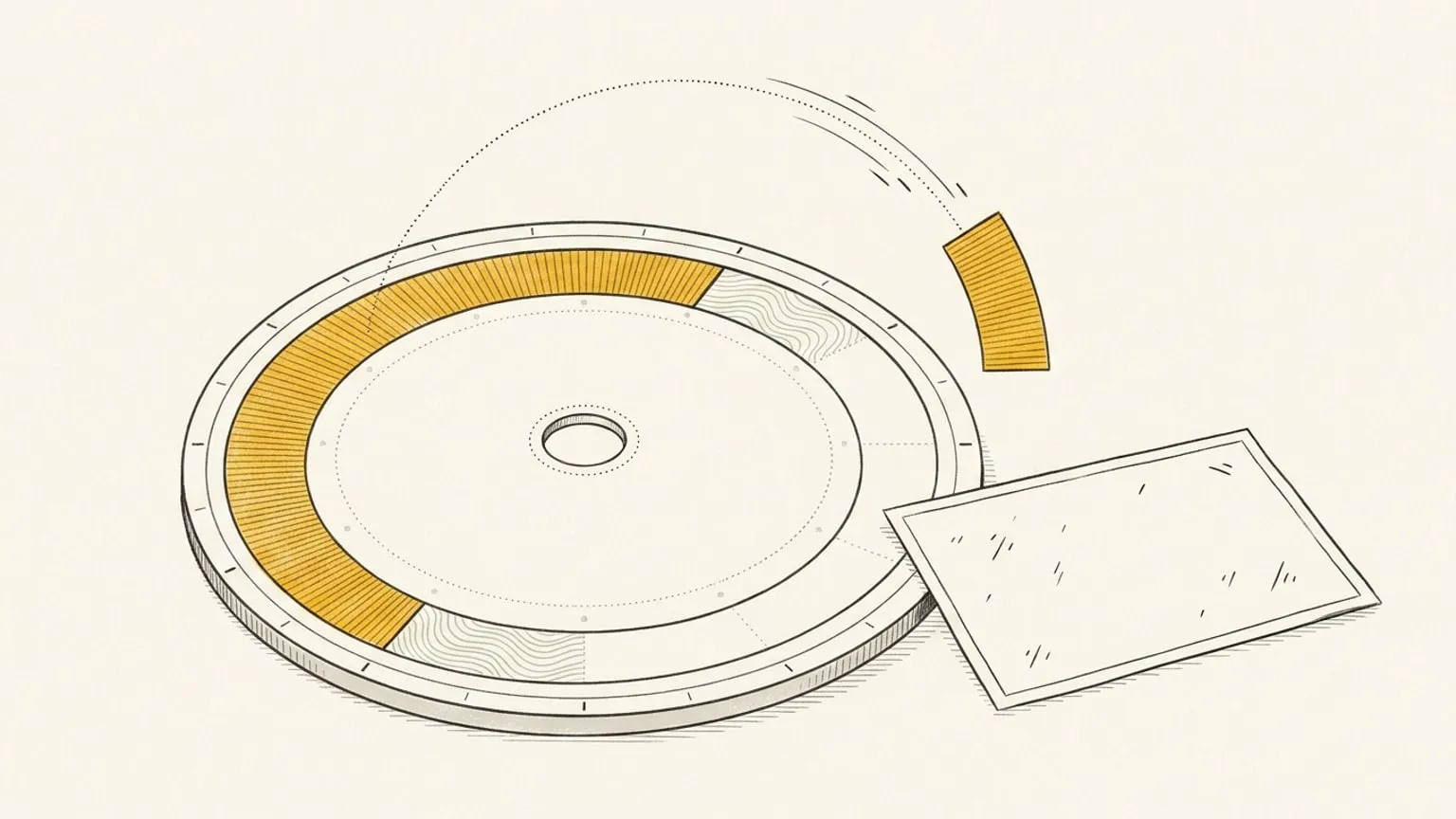
Reassign’s answer is the day itself. Open a tab and your live 24-hour dial is there: every block at its real length, the now indicator moving, the evening visible while you are still inside the morning. It is a planner, not a poster.
So the question is: do you want a calm start screen with one focus, or do you want the actual day in front of you every time you open a tab? Both are legitimate. They fail in different ways.
A start page with one focus fails when the focus is set and the hours are not. You wrote “ship the landing page” at 9am, and at 3pm the tab still says “ship the landing page”, cheerfully, over a photo of a fjord, while the two meetings and the school run that ate the day are nowhere on the screen. The intention was right and the tab could not tell you it was already lost. That is time blindness, and a nicer photo does not fix it.
A tab that shows the whole day fails when there is no day on it. If you never plan in Reassign, signing in to an empty dial adds little to your new tab. The value is entirely downstream of whether you plan there. Momentum needs no such commitment; a photo and a quote are worth something on day one, with nothing set up.
What Momentum actually gives you
Only what I could confirm from Momentum’s own pages on 19 August 2026.
Free, on the help centre’s own list. Their About page describes Momentum as “a free Google Chrome, Firefox, Safari, and Microsoft Edge add-on” and lists what every user gets: Balance mode, a Bookmarks Bar, a clock, settings, a Daily Goal, daily photos, mantras and quotes, Launchpad, Links, Search, Tasks and Weather. Tasks come with default Inbox, Today and Done lists. Focus Mode is available on the free tier, but their Focus Mode article says it “runs for a limited time each day and will close automatically once that time is up”; their Sounds article calls that a one-hour session.
No account required. Their help centre has a whole article for this: click “Stay logged out” when the account screen appears, and your data stays in that browser. It does not sync, it is not backed up, and it does not carry over if you make an account later. An account gets you sync across devices and a backup.
Momentum Plus, verbatim from the Plus page’s “What’s included?” list: unlimited focus mode, tasks integrations, a Pomodoro timer, sounds with Spotify and YouTube integrations, a site blocker, tab stash, notes with AI, Ask AI, Autofocus mode, unlimited task lists and customization, link groups, custom photos, quotes and mantras, countdowns and world clocks, metrics and fitness integrations (Strava, Fitbit), an hourly forecast with detailed weather, theme and font customization, live focus and productivity workshops, and priority support.
Integrations. The Plus overview lists task integrations for Asana, Basecamp, ClickUp, GitHub, Google Tasks, Microsoft To Do, Todoist and Trello. A separate help article covers a Google Calendar integration: upcoming events under the clock, a countdown to your next meeting, a one-click Join button for video calls, one Google account per Momentum account, and no Outlook or Apple Calendar “at this time”. That article does not say which tier the calendar lives on, so I am not going to guess.
Autofocus, which is the Plus feature closest to a planner: it “connects your active Todo list to your Focus”, so a completed focus is replaced by the next item on the list.
Momentum for Teams puts team apps, goals, a shared knowledge base, announcements, company metrics, branding and team-wide countdowns on everyone’s new tab, and includes Plus.
Price. The visible Plus page says only “Only $0.10 per day”, and the checkout renders the real number after you enter an email. The plan data embedded in that same page listed Momentum Plus at $4.95 a month or $39.95 a year (shown as $3.33 a month, with a seven-day trial on the yearly plan), and Teams at $5 per user a month or $40 per user a year. I read those in the page source, not on a price card, so treat them as second-hand and check the checkout for your currency.
What the Reassign new tab actually is
The Reassign Chrome extension does three things, and I would rather list them flatly than let a comparison inflate them.
The new tab is the real dial. It frames the live app, so what you see is your day right now: your blocks, your colours, the now indicator, the same day you left in the other window. Installation is free. Signed out, the new tab asks you to sign in; opening your plan requires trial or paid access.
The page you are reading becomes a block. A toolbar button, a right-click, or Cmd/Ctrl+Shift+U opens a small card. Send the page to today, or add it to your Inbox for when there is room. The page rides along as a link on the block. Adding a page connects your Reassign account, and sending it to your Inbox is Pro, because the Inbox is Pro.
Quick add from the address bar. Type reassign, press space, and say it in plain words. “Deep work 9 to 11” lands on the dial straight away, with an undo. A looser note opens the capture card first, so nothing gets guessed.
That is the whole extension. No photo, no quote, no greeting, no weather widget, no notes panel, no bookmarks bar. The extension talks to one place, reassign.app, its only host permission, and it never records the pages you browse. It is on the Chrome Web Store for Chrome 127 or later, and for Chromium browsers that install from that store. Not Firefox, not Safari, and no listing in Edge’s own store.
Four real differences
1. Text versus time
Momentum’s centre is a sentence. Reassign’s centre is a shape.
That sounds like taste and it is not. A sentence about your day is the same size at 9am and at 5pm. A day drawn to scale is not: the morning you already spent is a faded arc, the meeting you are late for is a block under the now indicator, and the two free hours after lunch are visibly two hours, not a feeling. The reason a day is drawn round is that a closed ring has no off-screen, and a start page has no time on it at all.
If your problem is motivation, a sentence helps. If your problem is that six o’clock keeps arriving as a surprise, only the shape helps.
2. One focus versus one object
Momentum’s Daily Goal is one line, and Autofocus on Plus feeds it from the top of your to-do list, one item at a time. That is a deliberate and good design for a start page: it refuses to show you the whole list.
Reassign refuses the opposite way. It will not show you one item, because one item is not a day. Every block, every gap and every overlap is on one ring, and moving one thing shows you what it pushes into. Whether that is a relief or a burden is exactly the failure-mode question above, and I mean it when I say some people should pick the sentence.
3. A dashboard versus a planner behind the tab
Momentum is a dashboard first: the new tab is the product, and the to-do list, notes and integrations live inside it. That is why it can be worth installing with nothing set up.
Reassign’s new tab is a window onto a planner that exists whether or not the tab does. Behind it: drag to plan on the dial (included in Pro), a List and a Timeline for reading the days ahead (Pro; neither one drags, because drawing a day stays on the dial), two-way sync with Google Calendar, Outlook, Todoist, Google Tasks, Microsoft To Do, Linear and TickTick (Pro), Ask AI in the command palette, a chat about your plan that takes typed words, your voice, or a photo of a paper list (Pro), an MCP server so Claude or ChatGPT can read and rewrite the day (Pro), the same operations as a REST API (Pro), and focus mode with a live timer that draws working time and breaks on the dial (Pro). None of that shows up as a widget on the tab. It shows up as the day on the tab being true.
The consequence, and it cuts both ways: Momentum’s Todoist integration puts your Todoist tasks on the tab as a list. Reassign’s Todoist sync puts them on the dial as blocks with a length, and moves them back when you move them. One is a view; the other is a schedule.
4. What each of us decided not to build
Momentum shows you how long you focused when you leave Focus Mode; their own article calls that prompt “one more step to encourage deep work”. Plus adds a metrics feature on top, which their list names without much detail, so I will not describe it further.
Reassign ships no streaks, no badges and no guilt counters, on purpose. Missing days breaks nothing and the dial just shows today. That is a position, not a gap, and it is set out in why ADHD planners get abandoned. If a focus tally motivates you, this is a point for Momentum. If a tally is the thing that makes reopening the app harder, it is a point for us. You know which you are.
Where Momentum is straightforwardly better
This is not a courtesy section. Each of these is a reason to close this page and keep what you have.
- Browsers. Momentum runs in Chrome, Firefox, Safari and Edge, from each browser’s own store. Reassign’s extension is Chrome Web Store only. If you live in Firefox or Safari, stop reading and keep Momentum.
- The aesthetic. Daily landscape photos, a mantra, a quote, a greeting with your name. Reassign’s new tab has none of that and is not going to grow it. If the tab is supposed to make you feel better before it makes you do anything, Momentum wins outright.
- A single daily focus. The one-line intention, and Autofocus feeding it from your list, is a clean idea executed well. Reassign has no equivalent and does not want one.
- Integrations on the tab. Eight task apps on Plus, plus Google Calendar events and a next-meeting countdown. Reassign syncs Google Calendar, Outlook, Todoist, Google Tasks, Microsoft To Do, Linear and TickTick two-way, and does not put a task list widget on the tab at all.
- Value with nothing set up. A photo, a quote and the weather are worth something on the first open. An empty dial is worth nothing until you draw on it.
- Maturity. Momentum has been on the new tab for years, with a listing updated the day before I checked. Reassign’s extension shipped on 13 August 2026.
- A free tier that also needs no account. Momentum offers this, and its logged-out mode keeps your data locally in that browser. Reassign requires an account and trial or paid access for the planner. If an ongoing free start page is the priority, Momentum is the better fit.
If two or more of those are the reason you opened this page, keep Momentum. Losing that reader honestly beats winning one badly.
Where this one is better
- The tab shows real time to scale. Not a text focus: the day, with a now indicator, at the length things actually take.
- The day is one object. Nothing is off-screen and nothing scrolls, so the evening cannot quietly stop existing while you are busy.
- The page you are on becomes a block. Toolbar, right-click, keyboard, or the
reassignaddress-bar keyword, and the page rides along as a link. Sending it to your Inbox is Pro. - There is a planner behind the tab. List and Timeline day modes, two-way calendar and task-app sync, Ask AI with voice and photo input, MCP, the REST API, focus mode. All Pro, and none of it lives on the tab; it is why the tab is worth looking at.
- No engagement mechanics. No focus tally you have to feel good about, no streak. The dial just shows today.
- Reflection. Mark each planned block as happened, changed or didn’t, and read the day you planned against the day you lived. Reflection on yesterday and earlier days is included in Pro.
All these planner features are included in Pro and the 7-day no-card trial. There is no permanent Free plan. Opening your plan in the Chrome extension also requires an account with trial or paid access.
On price
Reassign has one Pro plan at $14/month or $120/year ($10/month billed yearly), with a 7-day no-card trial. After the trial, a subscription is required to use the planner; your data stays. See plans and transition terms.
Momentum’s visible Plus page prints “$0.10 per day” and nothing else; the numbers in the section above came from plan data in that page’s source, and the checkout is where the real figure renders. On paper Momentum Plus is cheaper than Reassign Pro, and I am not going to pretend otherwise. They are also buying different things: Plus buys the tab more widgets and integrations, and Pro buys a planner more reach (the days ahead, sync, an agent, an API). If the tab is the product, Plus is the better deal. If the tab is a window, the price is for what is behind it.
Momentum has a permanent free tier. Reassign has a 7-day no-card trial, then requires a subscription. Test the planner during that week; choose Momentum if a free dashboard is enough.
If you were also looking at Tiimo or Structured
Different question. Momentum is a start page; those two are timeline planners with phone apps, and the comparisons for them are about the shape of a day rather than the contents of a tab. The Tiimo comparison and the Structured comparison are the ones to read if what you actually want is a planner and the new tab was a side interest.
How to decide in one evening
Close the other comparison tabs and run one test.
Install one, then the other. A browser gives its new tab to one extension at a time, so you will have to choose which owns it, and that is the point. Put tomorrow into Reassign, the whole day including the boring parts, and set tomorrow’s focus in Momentum. Then, at 3pm tomorrow, when something has already gone wrong, open a new tab.
One of them will show you a day you recognise. The other will show you a sentence you wrote at 9am, over a very good photograph. If the sentence still helps, keep Momentum; it is a good start page and it deserves its users. If you needed the tab to tell you the day had moved, the problem was never the photo, and a round tab has earned the evening.
Frequently asked
- What is the best Momentum alternative?
- It depends on what you want the new tab to do. If you want a calm start page with a photo, a quote, a greeting and one focus for the day, Momentum is already the best-known answer and this page is not going to talk you out of it. If you want the new tab to show your actual day, the Reassign Chrome extension frames your live 24-hour dial on every new tab, with a now indicator and every block at its real length. It also sends the page you are reading to your plan, and installation is free. Opening your plan requires an account with trial or paid access. The honest limit is that it is Chrome only, and it is only useful if you plan your day in Reassign at all.
- Is Momentum free, and does it need an account?
- Momentum's core dashboard is free, and its help centre says you can click Stay logged out when the account screen appears and keep using it with your data stored locally in that browser. An account adds sync across devices and a backup. Momentum Plus is a paid membership that adds focus mode without a daily time limit, task-app integrations, a Pomodoro timer, notes with AI, countdowns, world clocks, metrics and custom photos and quotes, checked on their own pages on 19 August 2026.
- How much does Momentum Plus cost?
- The visible Plus page says only that it is about ten cents a day, and the checkout renders the final price after you enter an email. The plan data embedded in that same page on 19 August 2026 lists Momentum Plus at $4.95 a month or $39.95 a year, shown as $3.33 a month, and Momentum for Teams at $5 per user a month or $40 per user a year. Treat those as second-hand and check the checkout for your currency. Reassign has a 7-day no-card trial, and Pro is $14 a month or $120 a year.
- Does the Reassign new tab work in Firefox or Safari?
- No. The Reassign extension is on the Chrome Web Store only, for Chrome 127 or later and Chromium browsers that install from that store; there is no Firefox, Safari or Edge Add-ons listing. Momentum's own help centre lists Chrome, Firefox, Safari and Microsoft Edge, so if you live in Firefox or Safari, that is a real reason to stay with Momentum and this page says so plainly.
- Does the Reassign extension track my browsing?
- Yes. The new tab asks you to sign in to open your plan. Trial or paid access is required to use the planner and save pages. Installation is free, and the extension does not record the pages you browse.
- Can I run Momentum and Reassign at the same time?
- Not on the same new tab. A browser hands its new tab page to one extension at a time, so you choose which one owns that moment. You can keep Reassign open as a normal tab or an installed web app while Momentum owns the new tab, or the other way round. The capture popup, right-click and address-bar quick add in the Reassign extension work whichever page owns the tab.
