Looking for a Sectograph alternative
An honest Sectograph alternative, from someone who built one. Sectograph puts your calendar on a phone clock face; Reassign draws 24 hours on a desktop dial.

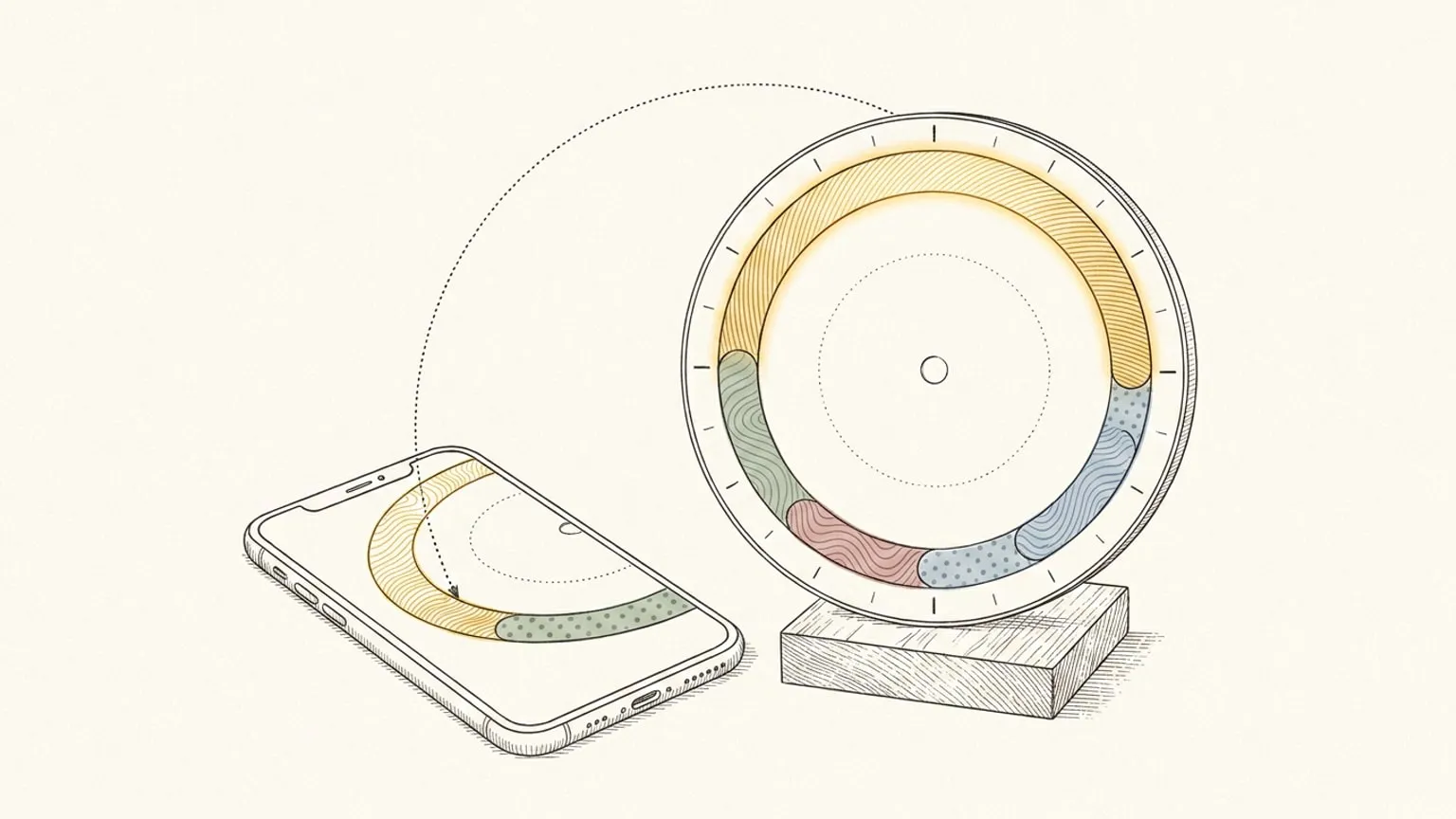
First, the bias. Reassign is mine. I built it because my own day kept going missing between a task list and a calendar, so keep that on the table while you read. Everything I say about Sectograph comes from Sectograph’s own site, its Google Play and App Store listings, checked on 7 September 2026, with two figures logged from the same listings on 3 September 2026 and dated where I use them. Where this page and a Sectograph page disagree, theirs wins.
Second, the thing a comparison page rarely says first: Sectograph is very good at what it is for. It has drawn your calendar on a clock face since 2013, it has been installed more than seven million times, and on an Android phone it is the default answer for one idea done well. A home-screen widget that shows the next few hours as sectors on a clock, refreshing once a minute, is a genuinely good way to feel time passing. If that is your problem, it might be the right answer, and this page will not talk you out of it.
The useful question is narrower.
The only question that matters
Do you want to glance at the calendar you already keep, on a phone and a watch? Or do you want to plan and reshape the day itself, on a computer, and have it sync back?
Sectograph is built for the first. It reads the calendars on your phone and paints them onto a clock face, so the gap before your next meeting is a wedge you can see at a glance. You do not plan in it. You look, on the home screen or the watch, and you make the actual events somewhere else.
Reassign is built for the second. It draws all 24 hours of one day as a single ring, with midnight at the top and noon at the bottom, so the evening cannot quietly stop existing while you are inside the morning. You draw the day on the ring, block by block, and it syncs two-way with Google Calendar, Outlook, Todoist, Google Tasks, Microsoft To Do, Linear and TickTick, so the plan you make on the dial is the plan your calendar carries. That is the reason a day is drawn round here, and the reason it lives on a computer where you have room to move things.
If you have both needs, you might want both tools. The rest of this page helps you decide which one gets to be the planner, and points out the one thing Sectograph cannot do at all: run on a desktop or in a browser.
What Sectograph actually gives you (checked 7 September 2026)
From Sectograph’s own pages, on that date, with two figures logged 3 September 2026 and marked:
- Platforms. sectograph.com lists Android, iOS and the Huawei AppGallery. It names no web version and no desktop version. This is the gap this whole page sits in.
- The Android app. The Play listing (
prox.lab.calclock) showed version 5.43.1, updated 22 May 2026. It is alive and current. - The iOS app. A separate App Store listing at $3.99, version 1.5 dated 2 April 2023. It is “Designed for iPad”, not verified for macOS, and it has not been updated in over three years. On Apple hardware, Sectograph is effectively frozen.
- What it reads. Google Calendar and the phone’s local device calendar, with Microsoft Outlook calendar in beta. It maps those events onto the dial; it is a live view of a calendar you edit elsewhere.
- The clock face. A 12- or 24-hour circular timeline, each event a sector whose width matches its duration, the free time between them visible as gaps.
- The widget. A home-screen widget that refreshes its clock once a minute and updates when a new event appears. Most people meet Sectograph as this widget rather than as an app they open.
- Wear OS. A smartwatch face, so the same dial sits on the wrist. There is no Apple Watch version.
- Price. Free on Android with a Pro tier that removes ads and unlocks the widget colour palette and full widget support. The Play listing showed in-app items from $1.99 to $99.99 (logged 3 September 2026). Sectograph’s own site does not state a price.
What I did not confirm on a Sectograph page, and therefore do not print: the exact split between a one-off Pro unlock and any subscription, and how deep the task-editing goes beyond a quick timed to-do. The listings imply both; the pages do not spell them out, so I leave them to you to check in the store before you pay.
Sectograph vs Reassign: four real differences
| Sectograph | Reassign | |
|---|---|---|
| Platforms | Android, iOS, Huawei; no web or desktop | Web, installable desktop app, Chrome new-tab dial; no phone app (iPhone companion in progress) |
| Clock | 12- or 24-hour face | 24-hour ring, midnight top |
| What it does | Viewer: draws the calendar you keep | Planner you can also just look at |
| Sync | Reads device calendars, one way | Two-way with Google Calendar, Outlook, Todoist, Google Tasks, Microsoft To Do, Linear, TickTick (Pro) |
| Watch | Wear OS face | None (Soon) |
| AI / agent | None found | Ask AI chat with voice and photo input, hold-to-talk voice on the dial, MCP server + REST API (Pro) |
| Price | Free on Android; iOS $3.99 one-off | Pro $14/mo or $120/yr; 7-day no-card trial |
Facts checked 7 September 2026, two figures logged 3 September 2026. The rest of this section is the reasoning behind the table.
1. A phone widget, or a web and desktop dial
This is the difference that sends most people here. There is no Sectograph for the web or a desktop. sectograph.com lists only phone platforms, and the iOS build has been frozen at April 2023 for over three years. If you spend your working day at a computer and want the clock-face-of-your-day where your eyes already are, Sectograph cannot put it there.
Reassign is the opposite shape. It is a web app you open in any browser, install to the dock, and sync across devices, with internet required to save changes, and a Chrome extension that frames the live 24-hour dial on every new tab. That is the surface Sectograph leaves empty. The honest trade is the mirror image: Sectograph has the phone widget and the Wear OS watch face, and Reassign does not. An iPhone companion app is in progress and a watch face is on the Soon list, so I do not claim either.
2. A viewer, or a planner you can just look at
Sectograph is a viewer first. It reads the events already in your calendar and draws them; the planning happens in your calendar app, and Sectograph shows you the result. That is a real and useful job, and the widget does it well.
Reassign is a planner first. You draw the day on the ring yourself, block by block, at its real length, with a now indicator sweeping round. But it also does Sectograph’s job when you want it to: connect Google Calendar or Outlook, on Pro, and only look. The events land on the dial as wedges, the gaps show themselves, and nothing writes back until you actually move a block. So you can have the viewer and keep the planner in the same place, on the surface Sectograph does not reach.
3. A one-way view, or two-way sync
Sectograph reads your device calendars and paints them. The arrow points one way: the calendar is the source, the dial is the picture.
Reassign syncs two-way with Google Calendar, Outlook Calendar, Todoist, Google Tasks, Microsoft To Do, Linear and TickTick, on Pro. Move a block on the dial and the event moves in the calendar. Change an event in the calendar and it lands back on the dial. Timed Todoist and TickTick tasks become blocks. Google Tasks, Microsoft To Do and assigned Linear issues arrive in the Inbox with their due dates; you choose the working hours without changing those deadlines. Undated task imports are opt-in. The honest guard is that dial-only edits, recolouring a block by area or changing its fill pattern, never write back, so you can re-sort the whole day visually and the calendar never notices until you drag something to a new time. That two-way link is the difference between a picture of your day and a plan you keep in one place.
4. An agent that can reach the dial
Sectograph is a phone widget, and I found no MCP server or public API for it, so an AI assistant cannot read or reshape your Sectograph day.
Reassign ships a first-party MCP server (Pro). Claude, ChatGPT, Claude Code or Cursor can read the day and edit it from a chat: write_events moves, nudges and resizes blocks on the ring in one atomic batch with a 30-minute undo, and creates new blocks after the assistant reads freeSlots from get_schedule. Writes apply immediately. Each grant is events:read, events:write, or both, enforced per tool, so a read-only grant can never change your day, and cycle data never crosses MCP even to an assistant with full access. The same operations are a public REST API for the things you script rather than say. Inside the app, Ask AI in the command palette does the same work as a chat: type a request, dictate it, or attach a photo of a paper list, and apply the cards it returns. Or talk to the dial itself: hold the voice icon on it, or hold ⌃M, and let go to send. Your words show live as you speak, and you can talk again while earlier clips still process. A safe change such as a move applies at once with one Undo. A delete or a clear never applies by itself: the toast asks you to Confirm, with the button, the Y key or by saying “yes”, or to Review it in the palette. A question back to you shows Review and Dismiss on the toast, not Confirm. If “an AI that can actually edit my plan” is on your list, that is a whole surface Sectograph does not have. If it is not, this difference is free to ignore.
Where Sectograph is straightforwardly better
Not a rhetorical section. These are real, and for a lot of people they are the whole decision.
- The phone. A home-screen widget and a lock-screen glance, refreshing every minute. Reassign has no native phone app and no phone widget. Its block and break alerts reach every device where you turn them on, but an alert is not a glance. If your day is checked on a phone, Sectograph wins outright today.
- The wrist. A Wear OS watch face. Reassign has no watch app.
- Zero setup to read your calendar. Sectograph draws the calendars already signed in on the device, with no separate connection to authorise. Reassign asks you to connect Google or Outlook once.
- Scale and age. Twelve years, seven million-plus installs, and a current Android build. It is proven, and it is not going anywhere.
- A one-off price on iOS. $3.99 once, no subscription, if a frozen-but-working iPhone app is all you want. Reassign’s paid tier is a subscription.
If you are on a phone and you want to look, not plan, stop here and install Sectograph. That is a real answer, and I would rather give it than win this page by leaving it out.
Where this one is better
- It runs where Sectograph does not: the web, an installed desktop app, and a Chrome new-tab dial. Included in Pro.
- It is a planner, not only a viewer. You draw the day on the ring, then it syncs. Drawing and two-way sync are both included in Pro.
- Two-way sync with Google Calendar, Outlook, Todoist, Google Tasks, Microsoft To Do, Linear and TickTick, so the dial and the calendar stay the same day.
- The whole day as one 24-hour shape, midnight to midnight, nothing scrolling off. Included in Pro.
- An energy curve (Pro) drawn from your logged sleep, so you can see the afternoon dip before you book the hard thing into it. It is a modelled prediction, not a measurement, so it can be wrong.
- Reflection, marking each block as happened, changed or did not, and reading the plan against the day you lived. Reflection on yesterday and earlier days is included in Pro.
- Microtasks inside a block: included in Pro, whether you write them or ask AI to draft them.
- Ask AI and an agent with scopes and undo (Pro): a chat in the app that takes text, voice, or a photo, an MCP server for Claude or ChatGPT, and the same operations as a public REST API.
- No streaks, badges or guilt counters, on purpose. That is a position, not a gap.
All these planner features are included in Pro and the 7-day no-card trial. There is no permanent Free plan. Opening your plan in the Chrome extension also requires an account with trial or paid access.
On price
Reassign has one Pro plan at $14/month or $120/year ($10/month billed yearly), with a 7-day no-card trial. After the trial, a subscription is required to use the planner; your data stays. See plans and transition terms.
Sectograph, on 7 September 2026: free on Android with a Pro tier and in-app items from $1.99 to $99.99 (logged 3 September 2026), and a one-off $3.99 on iOS. They are priced for different jobs. Sectograph’s free widget is hard to beat if a phone glance is all you need. Reassign’s price buys a planning canvas, two-way sync and an agent, on a desktop, which is a different product for a different problem.
If you just want to look, on a computer
That is the exact query that probably brought you here: Sectograph for web, or Sectograph for desktop, and there is not one. The nearest thing is Reassign’s own viewer mode, which is part of Pro. Connect Google Calendar or Outlook, draw nothing, and the dial becomes a 24-hour clock view of the day you already have, in a browser or an installed app, with the planning path there the day you reach for it. Connect a calendar, and only look walks through it, and the two calendar comparisons, Reassign vs Google Calendar and Reassign vs Outlook Calendar, keep the “do I need a planner at all” question honest.
If you are still weighing the whole category of round planners, the roundup of circular and 24-hour planner apps puts Sectograph, Weel, Owaves, DayClock and the rest in one table, by platform and price. If what you want is a countdown or a day-progress bar on the home screen or an Apple Watch, not a calendar clock, the Pretty Progress comparison covers that widget gap honestly. The rest of the comparisons live in the comparisons hub.
How to decide in one evening
Do not read more comparisons. Do this instead.
If your day lives on your phone, and the pain is that you lose track of how long until the next thing, install Sectograph’s widget and put it on your home screen. The next-meeting wedge on the lock screen will help within a day, and that is your answer.
If your day lives on a computer, and the pain is that the day you planned at 8am is unrecognisable by 3pm, put tomorrow on the dial tonight in a browser tab, the whole day including the boring parts. Then look at it at 3pm, when something has already gone wrong, and drag the afternoon back into shape. One tool fits on your wrist. The other fits on the screen where you actually spend the day.
Sectograph shows you the day you already made. The ring lets you make it, and remake it. Pick the problem you actually have.
Frequently asked
- Is there a Sectograph for web or desktop?
- No. On 7 September 2026, sectograph.com listed Android, iOS and the Huawei AppGallery, and named no web or desktop version. The iOS build is stuck at version 1.5, dated 2 April 2023. So there is no way to run Sectograph in a browser or on a Mac. If you want the calendar-on-a-clock idea on a desktop or the web, Reassign draws all 24 hours on one dial, and on Pro it can simply show the calendar you already keep without you planning anything. The dial and calendar sync are both included in Pro and the 7-day no-card trial.
- Is Sectograph free?
- On Android it is free with a Pro tier: the Play listing showed in-app items from $1.99 to $99.99 when logged on 3 September 2026, and Pro removes ads and unlocks the widget colour palette and full widget support. The separate iOS app is a one-off $3.99. Reassign Pro is $14/month or $120/year, with a 7-day no-card trial and no permanent free plan.
- Can Sectograph plan my day, or only show it?
- Sectograph reads the calendars already on your phone, Google and the local device calendar, with Outlook in beta, and draws them on a 12- or 24-hour clock face. You can add a quick timed task, but the planning still happens in your calendar app. Reassign is the other way round: you draw the day on the dial block by block, then it syncs back to Google Calendar, Outlook, Todoist, Google Tasks, Microsoft To Do, Linear and TickTick.
- Does Sectograph work on Apple Watch or Wear OS?
- Wear OS, yes: Sectograph ships a watch face. Apple Watch, no, and the iOS app has not been updated since April 2023. Reassign has no watch app; it is on the Soon list. Reassign runs in the browser, as an installable web app, and as a Chrome extension that puts the live dial on every new tab.
- What does each one sync with, and does it write back?
- Sectograph reads your device calendars and displays them; the drawing is a live view of a calendar you edit somewhere else. Reassign syncs two-way with Google Calendar, Outlook Calendar, Todoist, Google Tasks, Microsoft To Do, Linear and TickTick on Pro: move a block on the dial and the event moves in the calendar, and a change made in the calendar lands back on the dial.
