Reassign vs Todoist: keep the tasks, choose how to see the day
Compare Todoist's calendar layout with Reassign's 24-hour dial. See what syncs, when Todoist is enough, and what an extra day planner adds.

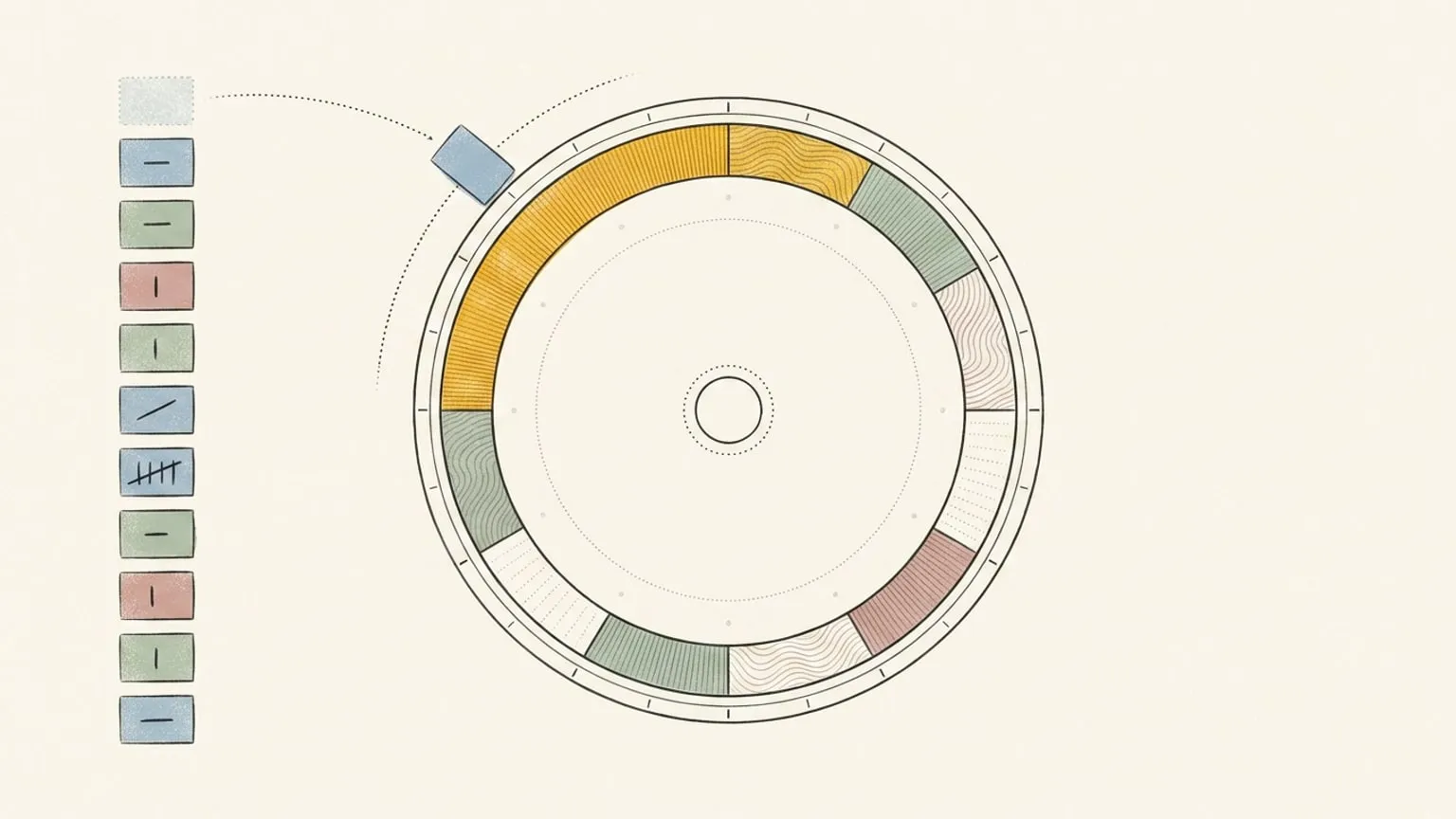
Todoist may already have the calendar you need. Use its calendar layout before paying for another planner. Reassign earns a place if seeing your tasks, meetings and evening on one 24-hour dial helps you judge what fits. I build Reassign; that is the bias behind this comparison.
Todoist’s calendar, platform and plan sources were checked on 7 October 2026. Its AI and voice tools were rechecked on 14 October 2026. For connection instructions, use the separate Todoist sync guide.
Reassign and Todoist at a glance
| Decision | Todoist | Reassign |
|---|---|---|
| Main view of work | Task lists, boards, and a calendar layout on paid plans | A 24-hour circular day planner, plus list and timeline views |
| Give tasks time | Dates, times, and paid task durations | Drag linked tasks onto the dial and resize their blocks |
| Meetings beside tasks | Google or Outlook Calendar integration | Google Calendar and Outlook beside tasks from connected apps |
| Organise a project with others | Shared projects and team features | Personal day planning; keep team work in Todoist |
| Use voice or an assistant | Ramble task capture, Task Assist and official MCP connections | Ask AI plan cards, dial voice and MCP schedule edits |
| Devices | Web, desktop, phone and watch apps | Browser and installable web app; internet required to save |
| Ongoing free access | Beginner plan | Seven-day trial, then a subscription |
Where Todoist is the better choice
If your main problem is capturing, sorting and finding work, stay with Todoist. Its plans cover projects, filters, subtasks and collaboration. Pro and Business add calendar layout and task duration. You do not need Reassign just to give a task an hour.
The Calendar integration shows Google or Outlook events beside your tasks and can sync scheduled tasks to your calendar. Calendar integration and calendar layout have different plan requirements: the integration is available on all plans; the visual calendar layout requires Pro or Business.
Todoist also has apps for Windows, macOS, Linux, iPhone, iPad, Android, Apple Watch and Wear OS, alongside its web app. Reassign is a web app. If a native watch app or a team project board decides the purchase, choose Todoist.
Todoist’s AI tools also cover capture and planning. Ramble turns speech into tasks with dates, labels and priorities. You can extract tasks from a photo or PDF, break work down with Task Assist, and connect Claude, ChatGPT or another MCP client. If speaking a task into your existing list solves the problem, try Ramble first.
What Reassign adds
You have six tasks, two meetings and a hard stop at 5. A list keeps the six tasks visible. Reassign’s dial lets you place them around the meetings and see their share of the hours you have left. Morning and evening stay on the same face.
The newer task integrations help when work comes from several places. A Todoist personal project, your assigned Linear issues, and a Microsoft To Do list can share the Inbox. Connect Google Calendar or Outlook for meetings, then choose which work gets time today.
Inside a block, use microtasks for the next few steps and focus intervals for a work/break rhythm. Ask AI can suggest changes to your day for review.
Dial voice is useful when the plan changes: hold the mic and say “move the proposal after lunch.” Safe changes land with one Undo; deletes and clears wait for confirmation. You see the new position alongside your meetings and evening. Both apps have voice and AI; the reason to add Reassign is whether that whole-day view makes the changed plan easier to judge.
What changes in Todoist when you use the dial
Reassign’s Todoist connection is two-way. A task with a time becomes a block. A task without a time waits in the Inbox; undated tasks import only from projects you opt in.
Drag a linked task onto the dial or move its block, and its scheduled date and time update in Todoist. Complete it in either app and it is done in both. This differs from Reassign’s Linear and Google Tasks connections, where the working hour stays in Reassign.
Keep project organisation in Todoist and use Reassign to choose your hours. Your synced Todoist projects show as projects in Reassign, and priority syncs both ways, so the Inbox can group by both and sort by priority. Disconnecting stops sync but keeps imported items; deleting the source removes those imports without deleting the original Todoist tasks.
Cost and a useful trial
Todoist has a free Beginner plan and paid Pro and Business plans. Check its pricing page for your currency and billing period.
Reassign Pro is $14/month or $120/year, including task sync and all planner features. Its seven-day trial needs no card and never charges automatically. After the trial, a subscription is required; your data stays. Reassign pricing.
Try tomorrow’s plan in Todoist first. Then start the Reassign trial, connect one project and your calendar, and place the same tasks on the dial. Keep the extra planner only if it makes the next decision easier. For another task app with a built-in calendar, see Reassign vs TickTick.
Frequently asked
- Does Todoist already support time blocking?
- Yes. Todoist Pro and Business include a calendar layout and task durations. Its Calendar integration can show Google or Outlook events beside tasks. Try those features first if you already use Todoist.
- Can I use Reassign and Todoist together?
- Yes. Connect selected Todoist projects to Reassign. Timed tasks become dial blocks; tasks without a time wait in the Inbox, with undated imports enabled per project. Scheduling or moving a linked task writes its time back to Todoist, and completion and priority sync both ways. Each synced Todoist project shows as a project in Reassign.
- Does Reassign replace Todoist projects and team features?
- No. Keep project organisation and collaboration in Todoist. Reassign adds a view of your working hours, meetings and personal time on a 24-hour dial. It is an additional planner, with its own subscription.
- Does Todoist already have voice and AI tools?
- Yes. Ramble turns speech into tasks with dates, labels and priorities. Todoist also documents photo and PDF task capture, Task Assist for breaking work down, and official Claude, ChatGPT and MCP connections. Reassign's dial voice changes the schedule you are looking at, with Undo for safe changes. Choose based on the planning workflow you need; voice alone is not a reason to add another subscription. Todoist's AI features were checked on 14 October 2026.
- What happens when I disconnect Todoist?
- Sync stops and imported items remain in Reassign. Deleting the connected source removes its linked imports from Reassign. Neither action deletes the original tasks or projects in Todoist.
