Print your day: the plan you made, on one page
Print your day from Reassign as a landscape PDF: the 24-hour dial with block labels and room for short notes and microtasks. Press ⌘P, or open the link in your morning email.

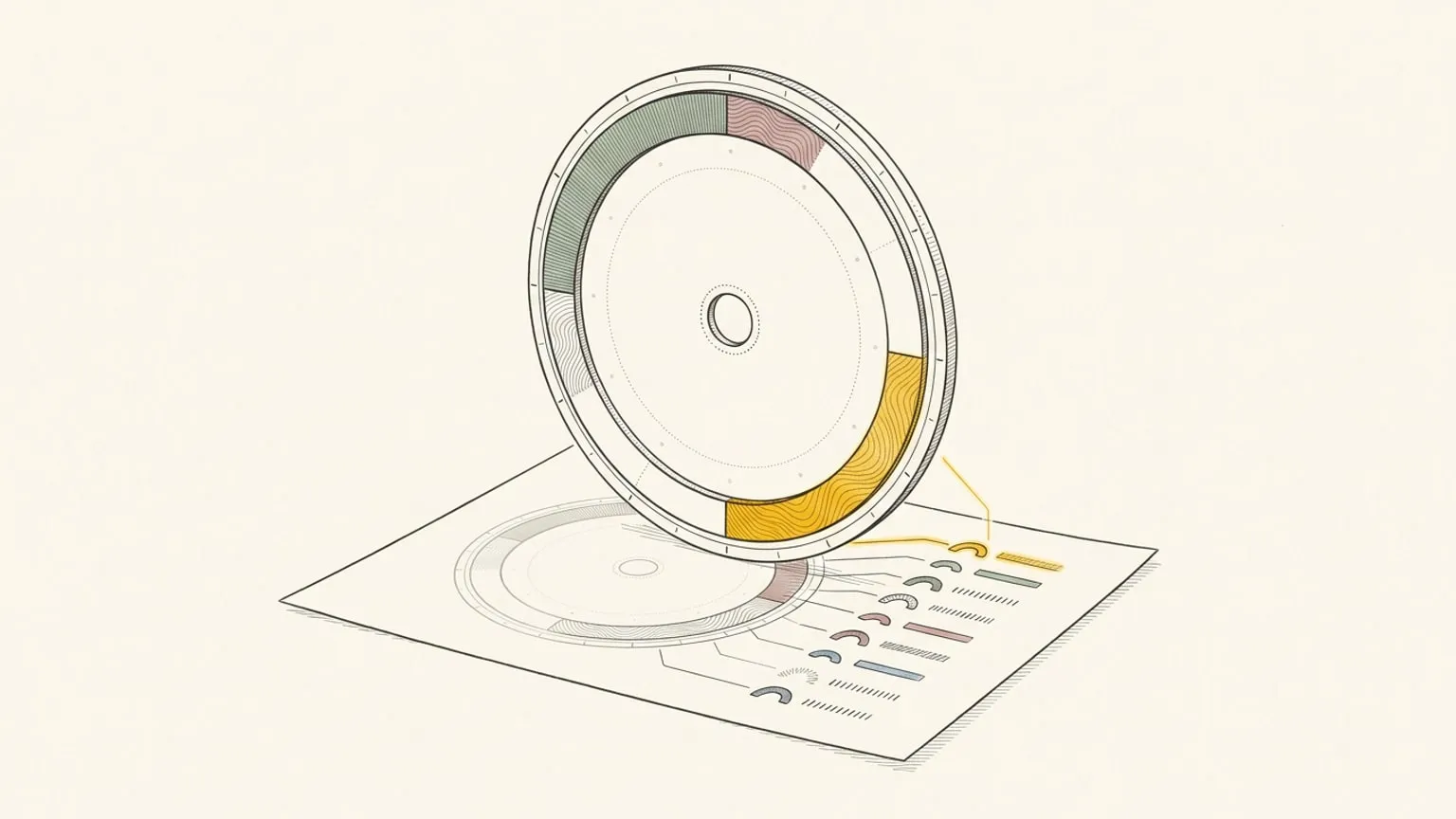
A plan on a screen is one tab among thirty. A plan on paper sits next to the keyboard all day and needs no click. Reassign now prints your day as a one-page PDF: the 24-hour dial you drew, with block labels beside it.
Three ways to print
- The keyboard. Press
⌘Pon the dial. - The dial menu. Choose Print day….
- The palette. Open
⌘Kand pick Print current day.
Reassign downloads a PDF of your day. The file is named for the day, such as reassign-2026-11-11.pdf. Print it, or keep it.
What the page shows
The page is landscape, so the dial and the notes have room.
- The dial in the centre. Colour shows the area, fill pattern shows the activity type, and the date sits in the middle. There are no glass effects or shadows, so a cheap printer gets a clean line.
- Labels in the side columns. Labels show the name and time, with a short note and up to five microtasks when there is room. Longer notes are shortened, and extra microtasks show as a count. Crowded columns use compact labels with the name and time. A checklist on paper is a checklist you can tick with a pen.
- All-day items as chips. A birthday or a trip shows above the day, not across your hours.
- A legend. The hours per area and the fill patterns. Print it in black and white, and the patterns still tell the activity types apart.
Paper size follows your browser’s region: US Letter in the US, Canada, Mexico, the Philippines, Chile and Colombia, and A4 everywhere else. If your dial is set to 12 hours, you get two pages, AM and PM. Your hour format and the half-turn flip of the dial apply too.
Or let the morning email do it
When your morning email has a planned day, it now carries a link: Download today as PDF. It opens the same page, on the paper of your timezone, with no sign-in in the mail app. The link works for 7 days. Print the day before you open a single tab.
Turn the morning email on under the email settings.
When to print a day
- A day of deep work. Close the laptop lid between sessions and keep the plan in sight.
- A day away from your desk. A workshop, a travel day, a day at the hospital. A folded page needs no battery.
- A review. Print yesterday, mark it with a pen, then do the daily review in the app.
- A shared kitchen. Put the family’s Saturday on the fridge.
What it is not
- A live page. The PDF is a snapshot. Move a block on the dial, and print again for the new plan.
- A blank template. For a dial to fill by hand, use the free printable 24-hour circular day planner. It needs no account.
Printing your day is part of Reassign Pro: $8.99 a month or $69.99 a year, after a 14-day trial with no card. Plan tomorrow on the dial, then press ⌘P.
Frequently asked
- How do I print my daily schedule from Reassign?
- Press ⌘P on the dial, choose "Print day" in the dial menu, or pick "Print current day" in the ⌘K palette. Reassign downloads a landscape PDF of that day. Open it and print it, or keep it as a file.
- What paper size does the PDF use?
- A4 or US Letter, from your browser's region. The US, Canada, Mexico, the Philippines, Chile and Colombia get Letter; everywhere else gets A4. The page is landscape.
- What is on the printed page?
- The 24-hour dial as a clean drawing in colour, fill pattern and lines, with the date in the centre. Side labels show names and times, with short notes and up to five microtasks when there is room. Crowded columns use compact labels. All-day items show as chips, and a legend gives the hours per area and the patterns, so a black-and-white print stays readable.
- Can I print a 12-hour dial?
- Yes. If your dial is set to 12 hours, the PDF has an AM page and a PM page. The hour format and the half-turn flip of your dial settings apply too.
- Is there a free printable 24-hour planner?
- Yes. The blank printable 24-hour circular day planner is free, with no account. The PDF of your real day is part of Reassign Pro and the 14-day no-card trial.
Block the hour. Then protect it.
Draw the block on a 24-hour dial, then open focus mode with a 25/5, 50/10 or 90/15 rhythm. Break time never counts as focus.
Start your 14-day trial14 days of Pro. No card required. No automatic charge.