Brain dump to schedule: from a messy list to a real day
Turn a messy brain dump into a real day: dump one thought per line into Reassign's command palette and get back an editable plan you refine by replying.

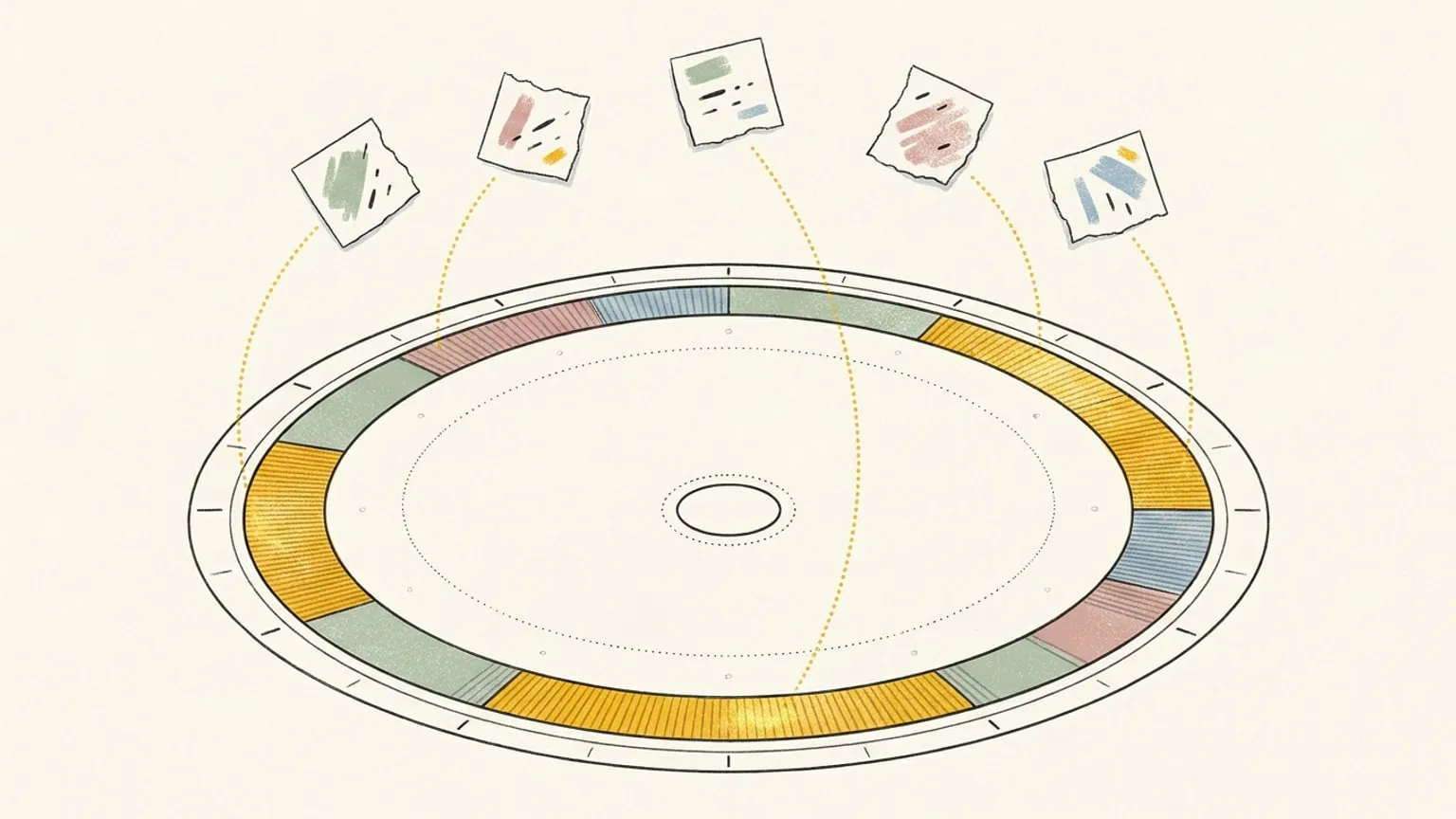
The brain dump is one of the few productivity ideas that survives contact with a real week. Get it out of your head and onto something outside your head. Do not sort it, do not rank it, do not decide anything yet. Just empty the buffer. It is standard advice for ADHD for a good reason: holding half a dozen unfinished things in working memory is expensive, and the cost is paid quietly, all day, in attention you thought you had.
And then the dump ends, and you are looking at a list.
The list is the part nobody talks about. It got the noise out of your head and put it somewhere you can see, which is genuinely worth doing, but a list is not a day. Turning fourteen scrappy lines into actual hours is slow, fiddly work, and it is the work most likely to get skipped. Which is how the dump becomes another document you do not open.
So Reassign takes the dump directly.
How to turn a brain dump into a schedule
Press ⌘K, type /braindump, and the palette stops being a search box. The verb becomes a chip in the input, the field opens up to as many lines as you need, and it asks one question: what is on your mind.
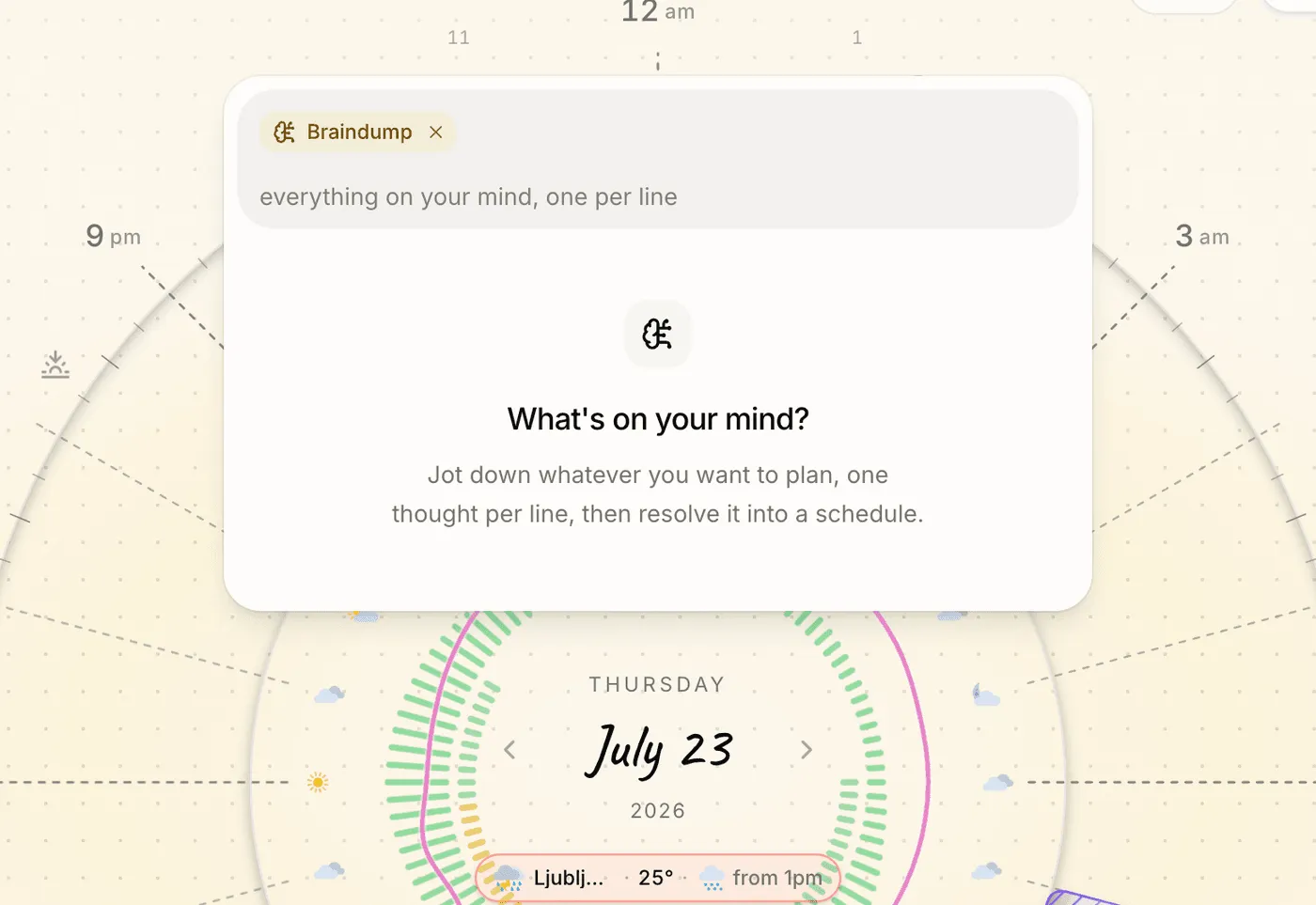
Then you type the way it actually comes out of your head.
gym tomorrow at 7am
book the dentist
call mom
25 on 5 off for the deck
feeling great today
Press ⌘Enter. Reassign reads the whole dump at once, against your real day, and hands back a plan.
Or skip the typing. In /braindump, send a photo of your paper list with no text. Check What I read against the page, including dates and crossed-out or ticked lines, then edit the cards before applying the plan. Handwriting can be misread; this is your chance to catch a missing item or correct a time. Lines under an item can become that block’s microtasks. Attach up to three files per message: JPEG, PNG, WebP, or PDF. If the dump is still in your head, press the mic or ⌃M and say it. The text lands in the field and waits for you to send it.
Every line is a different kind of thing, and it knows
That is the part that makes it useful rather than clever. A dump is not homogeneous. Some lines are appointments, some are to-dos with no home yet, some are not tasks at all. Sorting them by hand is exactly the tax the dump was supposed to save you.
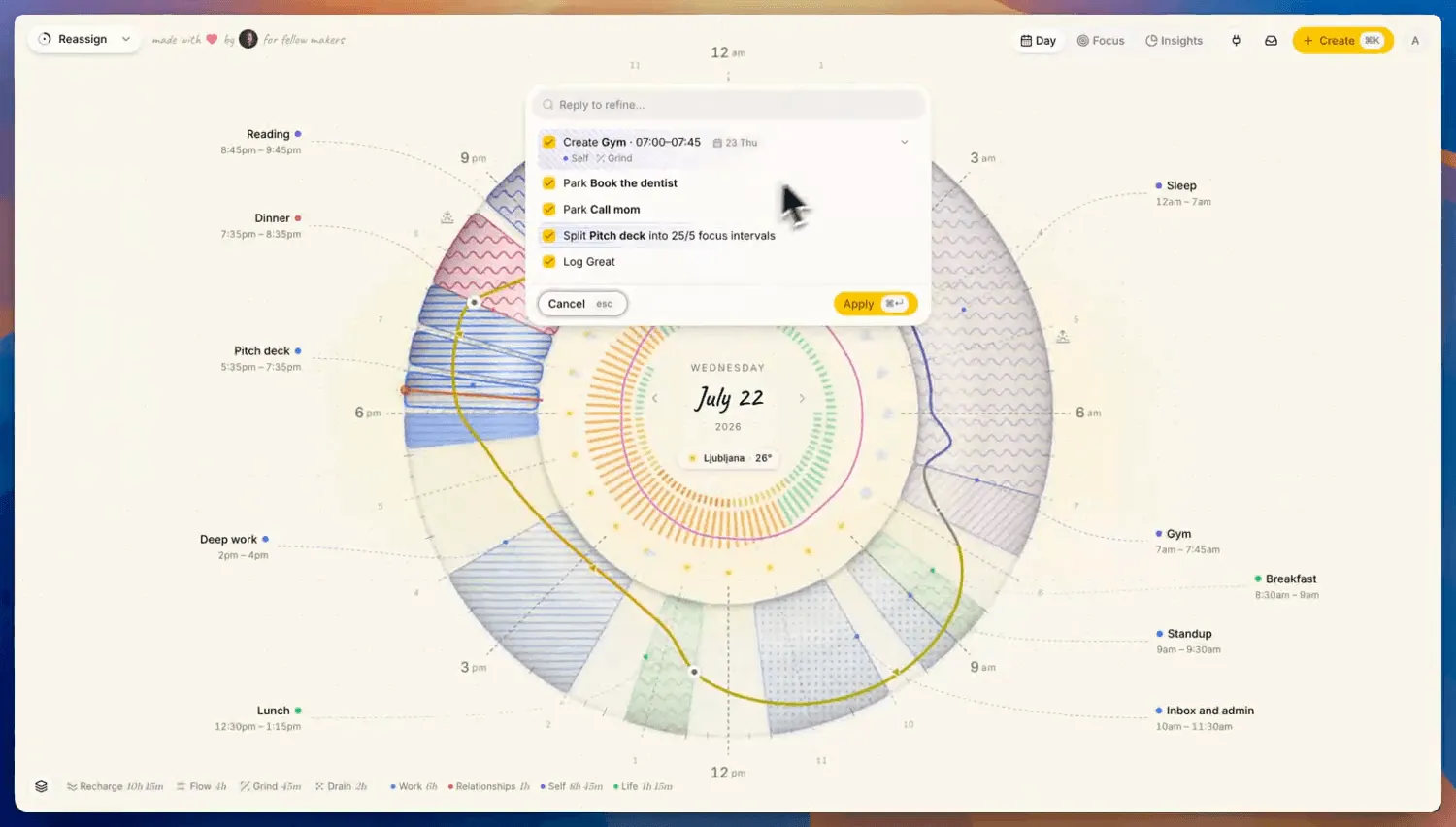
- A line with a time becomes a block. Gym tomorrow at 7am lands on tomorrow, not today, with a date chip on the card so you can see it is going somewhere else.
- A line with no time goes to your Inbox. Book the dentist and call mom go to your Inbox, the tray for blocks that do not have an hour yet, ready to drag onto the ring when one opens up.
- A cadence sets a rhythm. 25 on 5 off for the deck finds the Pitch deck block already sitting in your afternoon and splits it into focus intervals, rather than making a second one.
- A feeling logs as a feeling. Feeling great today records as a mood, on the ring at the hour you typed it.
A dump gets everything out of your head and onto the day. Breaking one of those blocks down into the moves it takes is the other direction, and that is what microtasks are for.
Each one arrives as a card you can edit before it is real: change the area, the type, which calendar it syncs to, or uncheck it entirely. The blocks preview as ghosts on the dial behind the palette, so you can see what the day would look like before you agree to it.
When a line is genuinely unclear, it asks
Not every line resolves cleanly. Call mom could be a block tonight, a block tomorrow morning, or something for the Inbox. A tool that picks one confidently is a tool you have to check every time.
So when Reassign judges a line that open, it hands the decision back as a question with the answers already worked out: tonight at eight, tomorrow morning, or the Inbox. Click one and it resolves on the spot, because each option carries its full instruction with it. No second round trip, no waiting. The model already did the thinking; the click is just you choosing.
It is a judgment call, so it does not fire on every vague line. In the run above that same phrase went quietly to the Inbox instead, which is the safer default: it costs you nothing, and an Inbox block is one drag from the ring.
Reply to fix it
The first pass is rarely the last word, and rebuilding a plan because one line landed wrong is worse than doing it by hand.
So the input stays hot. With the cards still on screen, type the correction the way you would say it out loud:
make the gym 8am instead
The plan comes back rewritten, and crucially, the edits you already made to the other cards survive. Six turns of this before Reassign asks you to apply or discard, which is a cap with a purpose: this is refinement of one plan. The palette is a chat now, and Ask AI answers questions about your plan, but it only talks about your plan. Ask it anything else and it says “I can only help with your plan.” If you want to think out loud with an assistant about your week, or about anything else, that is what the MCP connection is for, where Claude can read your real day and work through it with you properly.
Two different jobs. A blank box that pretends to do both does neither well.
It cannot take anything away
A dump is for getting things out. It is never for removing things, so braindump mode simply cannot delete or clear. Not “is discouraged from”: the instruction says no, and the code that reads the reply drops those actions if they ever show up anyway. The vocabulary a dump uses is create, add to Inbox, add microtasks, log, and set a rhythm. Nothing in it removes an event.
Everything else is bounded too. Two thousand characters, forty lines, twenty-five actions, six turns. Go past any of them and you are told what got cut, because a truncation you cannot see is worse than a limit you can. And the whole plan applies as one action, so a single undo puts your day back exactly as it was.
Where this fits
Reassign parses a single plain sentence locally with no AI call: type “Gym tomorrow at 6pm” and it is already a block before you finish reading this. That has not changed, and for one thing at a time it is still the fastest path.
Braindump is for the other moment. The one where it is not one thing, it is eleven, and they have been rattling around since Tuesday.
Get them out of your head. The dial will show you where they fit.
Braindump is also one answer to a bigger question, whether AI can plan your day at all: it can, once it can see the day it is planning.
This is the in-app way. If the chat you already live in is ChatGPT or Claude, you can hand the same dump to it over MCP instead of the palette. The assistant sorts it against your real day, with the same approve-before-it-lands step. The one thing you give up: the palette braindump physically cannot delete, and a chat with the full tool set can, once you ask.
It is part of Reassign Pro, with a 7-day trial and no card to start it. The mechanics, in short, are in the docs. Open ⌘K and empty your head.
Frequently asked
- What is a brain dump?
- A brain dump is the practice of writing down everything currently occupying your head, without sorting or prioritising as you go. It works because holding unfinished things in working memory is expensive, and it is a common recommendation for ADHD in particular. The usual limitation is that the dump ends as a list, and a list is not a plan.
- How does Reassign turn a brain dump into a schedule?
- Type /braindump in the command palette, dump one thought per line, and press Cmd+Enter. Reassign reads the whole dump at once and returns editable plan cards: a line with a time becomes a block on the day it names, a timeless to-do goes to your Inbox, a feeling logs as a mood, and a cadence like 25 on, 5 off sets a block's focus rhythm. Nothing touches your day until you press Apply.
- Can I correct the plan without starting over?
- Yes. While the cards are on screen, type a correction in plain words, such as make the gym 8am instead, and press Enter. Reassign rewrites the plan and keeps the edits you already made to the other cards. You get up to six turns of refinement before it asks you to apply or discard.
- What happens when a line is ambiguous?
- Reassign asks instead of guessing. An item like call mom, with no time attached, comes back as a question with two or three concrete options already worked out. Picking one resolves it instantly on your device with no second request to the model, so the answer is immediate.
- Can a brain dump delete things from my day?
- No. Deleting and clearing are refused in braindump mode, both by the instructions given to the model and by the code that reads its reply. A dump can only add: create, add to Inbox, add microtasks, log, and set a focus rhythm. Anything it does add is still previewed as cards and applied as a single action you can undo in one step.
- How much can I dump at once?
- Up to 2000 characters and 40 lines per dump, resolving to at most 25 actions. If your dump runs past any of those, Reassign tells you it was truncated rather than silently dropping the tail.
- Can I brain dump from a photo of a paper list?
- Yes. Open /braindump, attach a photo of the list, and send it with no typed text. Check What I read against your page, including dates and crossed-out lines, then edit the cards before applying the plan. Handwriting can be misread. You can attach up to 3 files (JPEG, PNG, WebP, or PDF), or dictate a dump with the mic or Control+M.
- Is braindump free?
- Braindump is part of Reassign Pro, on the same gate as Ask AI in the command palette. Typing a single plain sentence like Gym tomorrow at 6pm is also included in Pro and parses locally with no AI call. Saving requires an internet connection.
