Time block from Raycast: Reassign on your Mac keyboard
Time block from Raycast on a Mac: see today, add a block, keep the current one in the menu bar. Needs a Reassign trial or subscription.

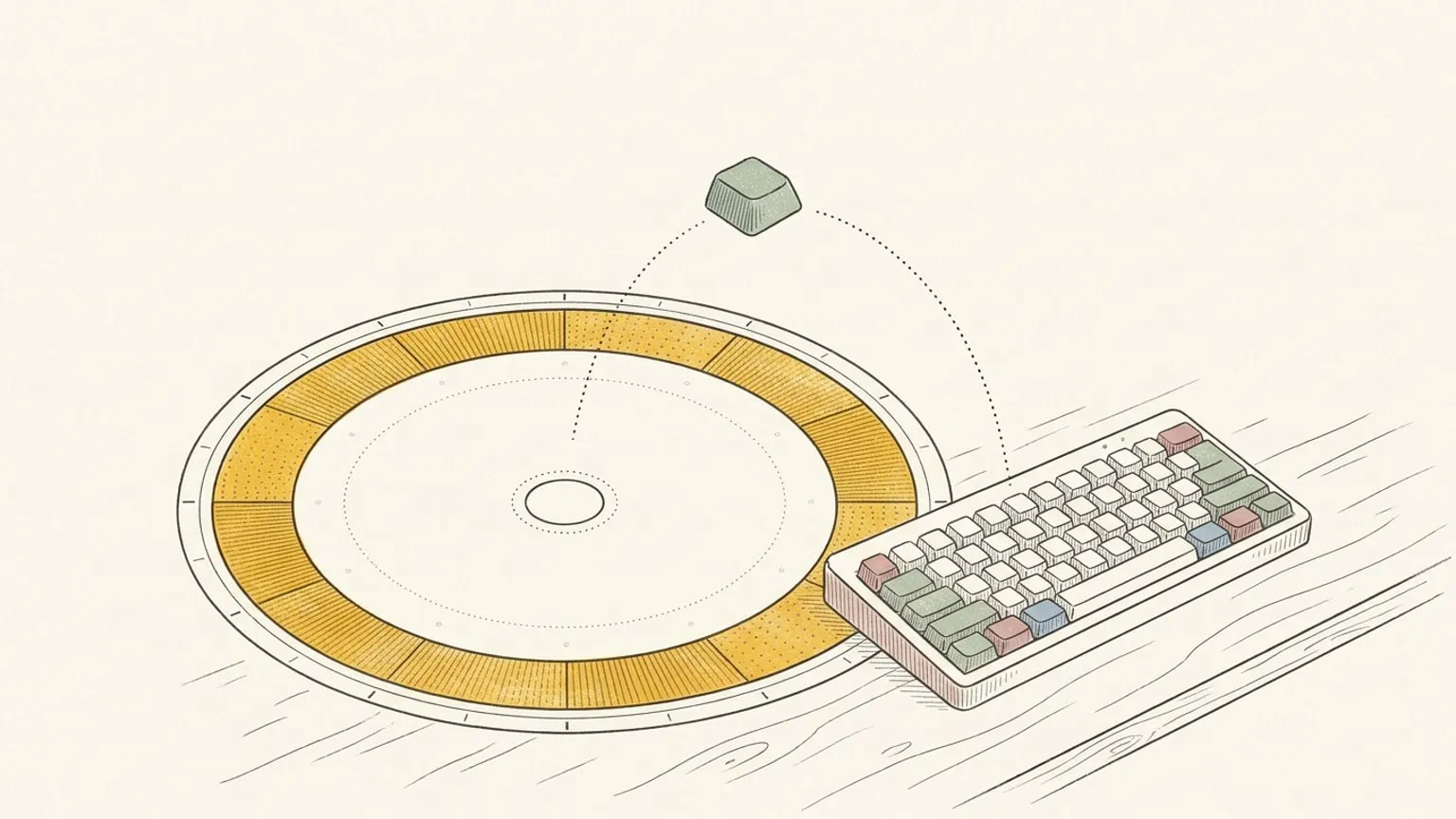
⌘-Tab. Wrong window. ⌘-Tab again. Find the planner tab, wait for it to load, and the thought you came to save is gone. Reassign for Raycast puts your plan on your Mac keyboard: see your day, schedule blocks, capture to the Inbox, and keep the current block in the menu bar. Reassign is a 24-hour circular day planner, at $14/month or $120/year after a 7-day no-card trial. You need an account and Raycast 2.4.1 or later.

Use it if you time block and your hands rarely leave the keyboard. New to Reassign? Start the trial, then install. The short version is on the Raycast feature page.
Five commands, five jobs
| Command | Reach for it when | What you get |
|---|---|---|
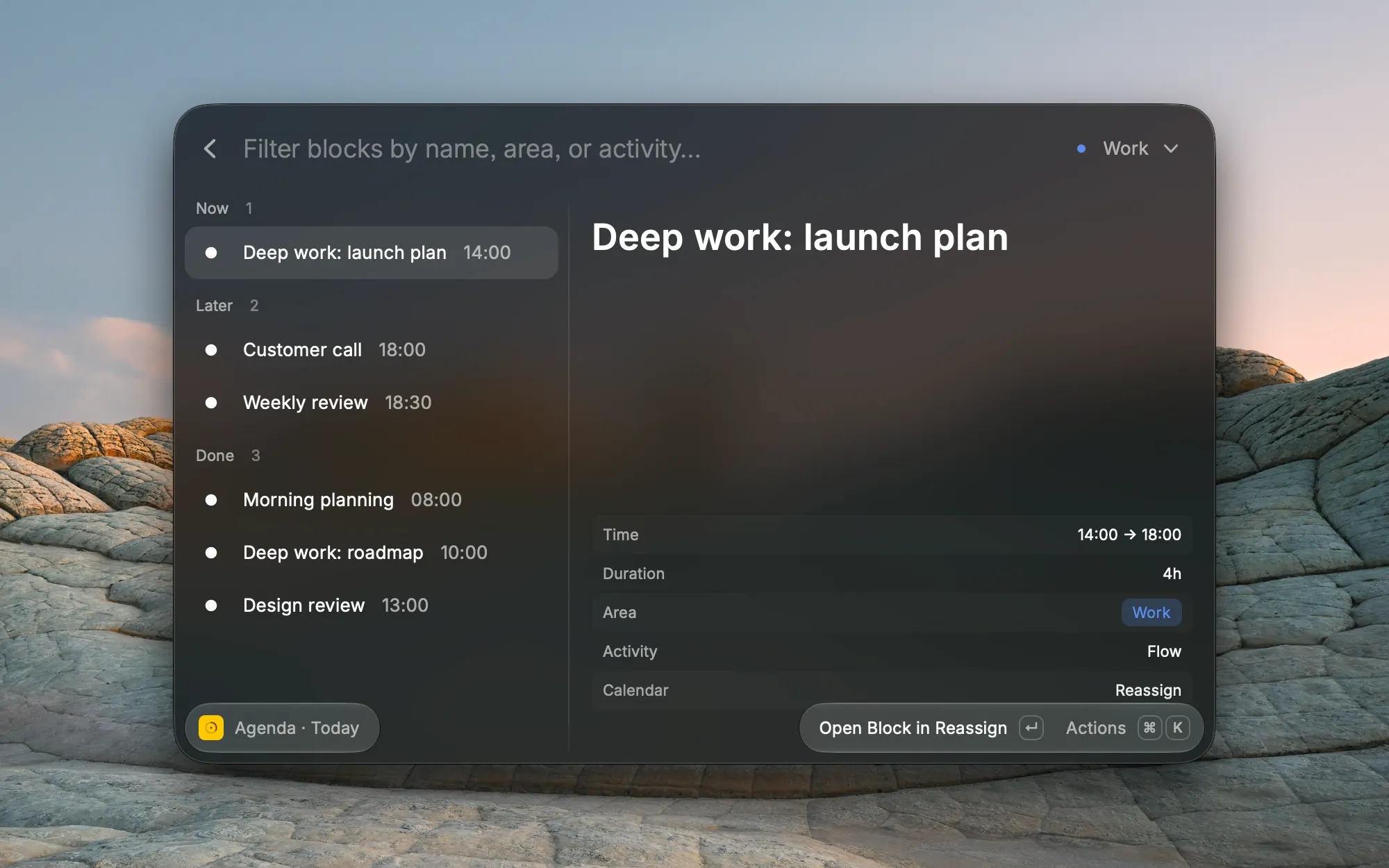
| Agenda | You want to know what is next | Today, grouped as Now, Up next, Later, and Done. ⌘⇧W switches to the next 7 days. |
| Add Block | A thought lands mid-task | One form. A time schedules it, a bare idea goes to the Inbox, a duration lists open slots. |
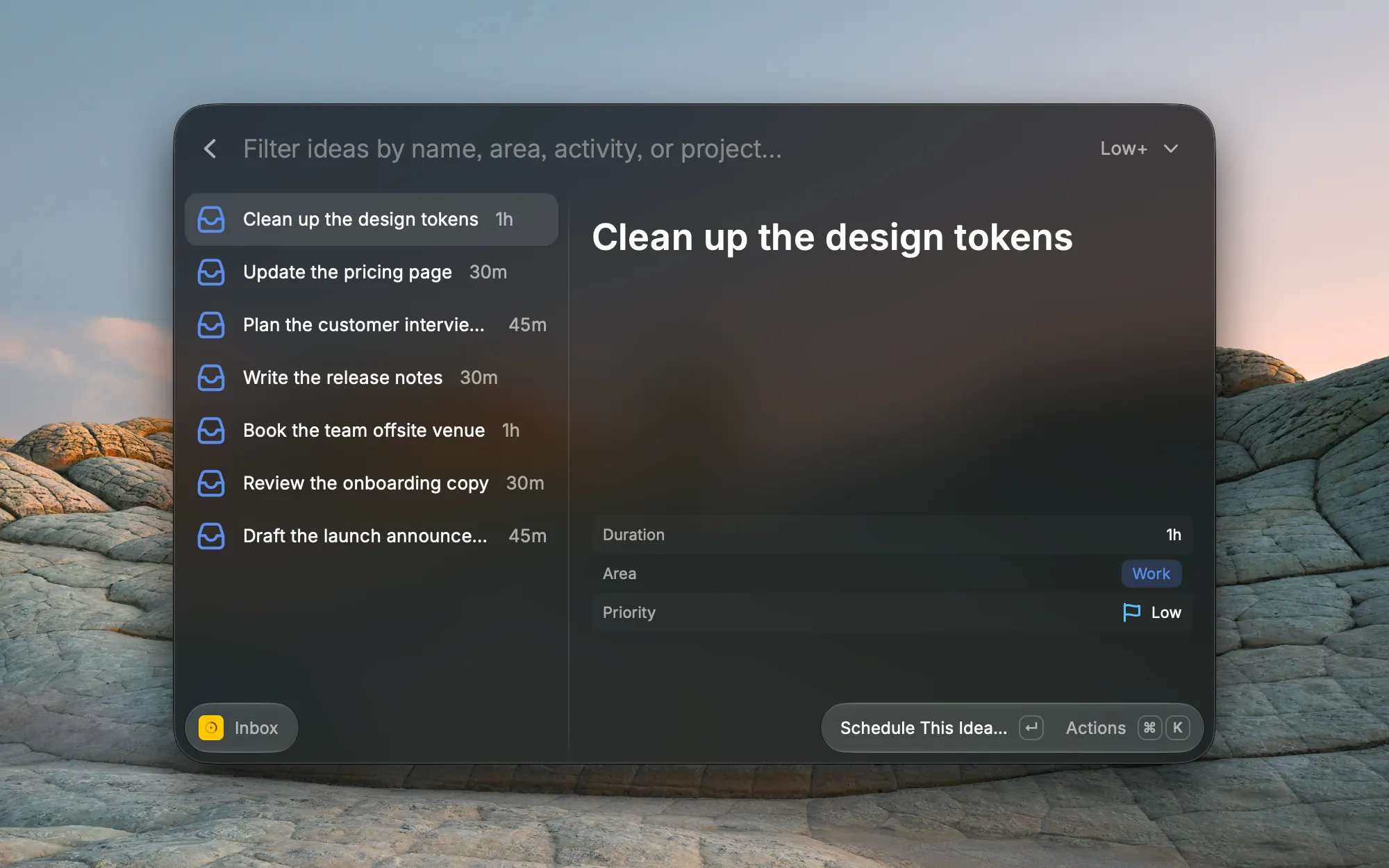
| Inbox | You have 30 free minutes and want to pick something | Your ideas with no time yet. Filter by priority, then schedule one. |
| Search Blocks | You know the name, not the day | A name search. Takes the query as an argument. |
| Now | You want the end of this block in sight | The current block in the menu bar, with time left and Join. |
See your day in Raycast
Agenda opens on today and remembers if you chose the week. Filter by area or activity, step through days with ⌘← and ⌘→, search from 7 days back to 30 days ahead with ⌘F, and open a meeting link with ⌘J.
It also changes your plan. ⌘M moves a block, an action shifts it 15 minutes, and ⌃X deletes it with no confirm step. The toast offers Undo on ⌘Z.
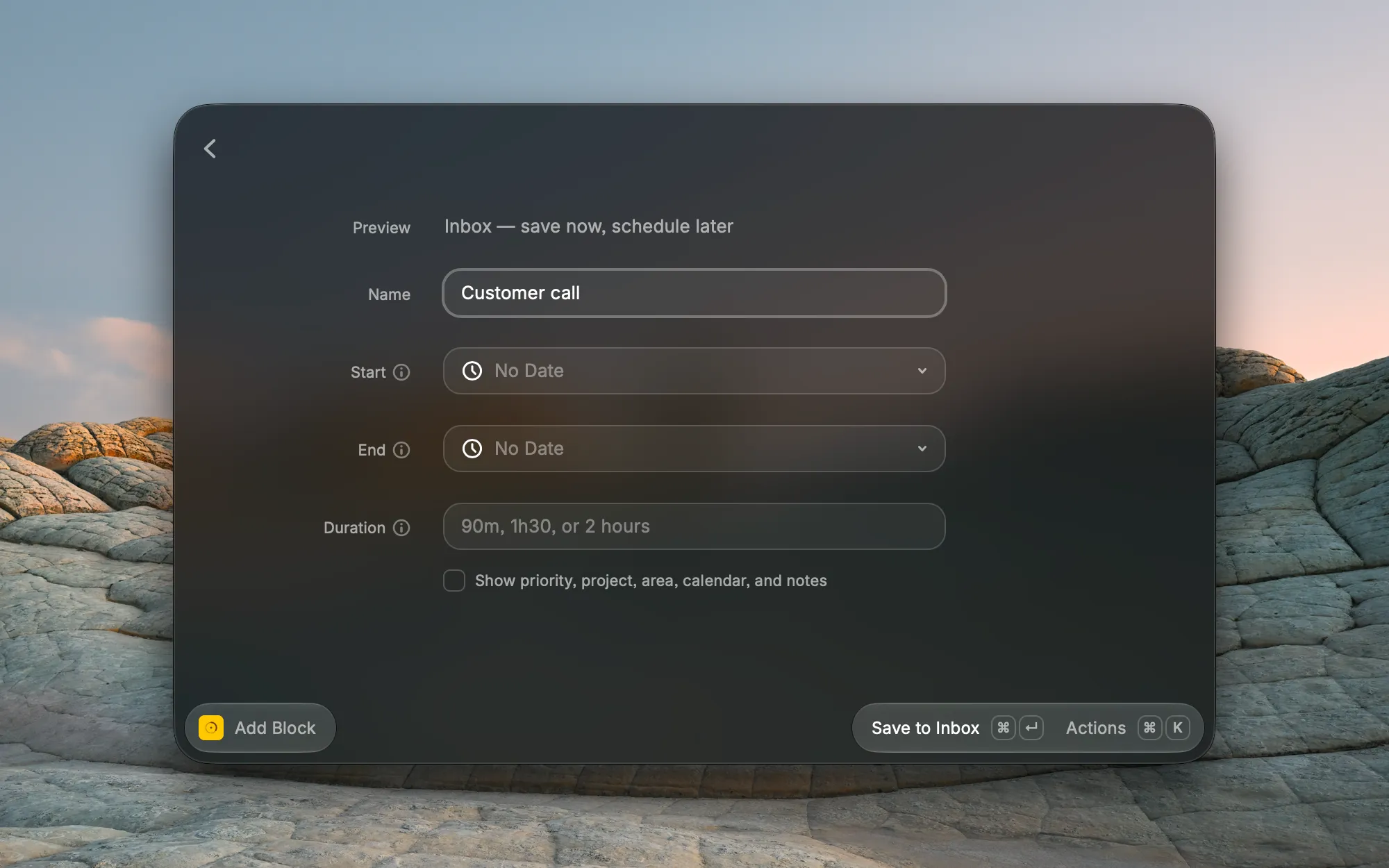
Add a block from Raycast
Pass Add Block a line. It shows a preview and saves nothing until you pick the action.
deep work tomorrow 9am to 11amschedules a block. The extension makes no AI call for a date and a time.book dentistgoes to your Inbox. A bare idea waits there.lunch tomorrowgoes to the Inbox too, with tomorrow as its planned date.gym 45m tomorrow morningoffers Find a Time: up to five open slots between 06:00 and 12:00. Name no window and it looks between 08:00 and 22:00. You pick the slot.
Run it with no line and it picks up your selected text. Save to Inbox sends up to 2,000 characters to Reassign AI, which splits them into one or more items. If the AI does not answer, the first line becomes the name and the rest become the notes. If your default Source is a task list, Reassign also adds the task to that app.
Fill with AI (⌘⇧A) takes the messy sentence, “an hour of deep work tomorrow morning, before my meetings”, and previews one block. You edit it, then you save.
Those ideas wait in the Inbox command. ⌘⇧P sets a priority, ⌘⇧J sets a project, and Enter gives one a time.
Keep the current block in the menu bar
Now puts the end of your current block in the bar: until 14:30. Between blocks it reads Free until 16:00. Click it for the name, time left, Join, what is next, and your next free gap.
The bar hides block names by default, so a screen share shows until 14:30 and nothing more. Open the menu and the names are there. A preference puts them in the bar.
Notifications are off by default too. Turn them on, and each one names the block. They run on Now’s refresh, about every 10 minutes: a heads-up comes 10 to 20 minutes before a block, and a start reminder 0 to 10 minutes before it. Non-blocking and reference blocks send none.
Close a past day
Check-off in Raycast is for past days only. In Agenda’s day view, press ⌘← to step back, then mark a block Kept (⌘D) or Skipped (⌘⇧D). Reassign accepts a check-off only after the day ends, so today’s blocks and the menu bar have none. A block that ran at another time needs reflection in the app.
Calendars in Raycast
Connect Google Calendar or Outlook in the app. Apple Calendar is Soon. Then tick the details box in Add Block, or use Edit Details in Agenda.
- Calendar: the calendar the block publishes to, or Reassign to keep it in Reassign only.
- Mirror to: the calendars that get a one-way copy.
- Copies show: Calendar default, Full details, Private, or Busy.
Busy removes the title and the notes. Private relies on the provider’s sharing rules, and the owner of that calendar still sees the title.
What it is not
- A calendar assistant. It is a keyboard surface for your Reassign plan, and it needs an account.
- An auto-scheduler. Find a Time lists slots and you pick. Fill with AI suggests and you save. Nothing places a block by itself.
- A dial. Raycast gets lists, forms, and the menu bar. Drawing on the ring happens in the app.
- A place for repeat rules. A line with “every” or “daily” sends you to the web.
- Cross-platform. Mac only.
Which surface for what
All three work on one plan and need an active trial or subscription.
| Surface | Use it when | The dial | Runs on |
|---|---|---|---|
| Raycast | Your hands are on the keyboard: check the day, capture a line, watch the current block | None | Mac, Raycast 2.4.1 or later |
| Chrome extension | You are reading a page and want it on the plan | On every new tab | Chrome 127 or later |
| MCP | You want Claude, ChatGPT, or another client to read and reshape your day | In the chat, with show_day |
Any MCP client |
What you need
The extension needs a Reassign account with an active trial or subscription. There is no free plan. New accounts get a 7-day trial with no card and no automatic charge. See plans and pricing. Without access, every command and Now show “Active subscription required” and link to your plan page.
What it can reach
- Sign-in: OAuth with PKCE in your browser. It asks to read and write your events, and the consent screen says “Verified by Reassign”.
- Network: the extension’s code calls one host,
reassign.app. Sign-in returns to Raycast through Raycast’s own redirect page. - Analytics: the extension has no analytics or telemetry code.
- Selected text: Add Block reads your selection when you open it with no line. It leaves your Mac only when you save or ask Fill with AI.
The privacy policy also has a Raycast section.
Install it
- Get the extension from the Raycast Store: https://www.raycast.com/smuk3c/reassign
- Run any command and choose Sign in.
- Confirm the connection in your browser. Your day loads.
Every command is in the docs, and later releases land in the changelog.
Frequently asked
- Does Reassign have a Raycast extension?
- Yes. Reassign for Raycast is on the Raycast Store at raycast.com/smuk3c/reassign. It has five commands (Agenda, Add Block, Inbox, Search Blocks, and Now) and runs on macOS with Raycast 2.4.1 or later.
- Does the Reassign Raycast extension need a subscription?
- Yes. It needs a Reassign account with an active trial or subscription. New accounts get a 7-day trial with no card.
- Can I check off a block from Raycast?
- Yes, for past days only. Today's blocks and Now have no check-off.
- Does the Reassign Raycast extension work on Windows?
- No. The extension is macOS only. On Windows, use Reassign in a browser or the Chrome extension.
- Does the Raycast extension replace the Reassign app?
- No. It is a keyboard companion for the plan in your Reassign account. You draw blocks on the dial, connect calendars, and set repeat rules in the app.
- Does the Reassign extension use Raycast AI?
- No. The extension does not call Raycast AI. Save to Inbox and Fill with AI run through Reassign AI, on your Reassign account.